Redeem an AppSumo code
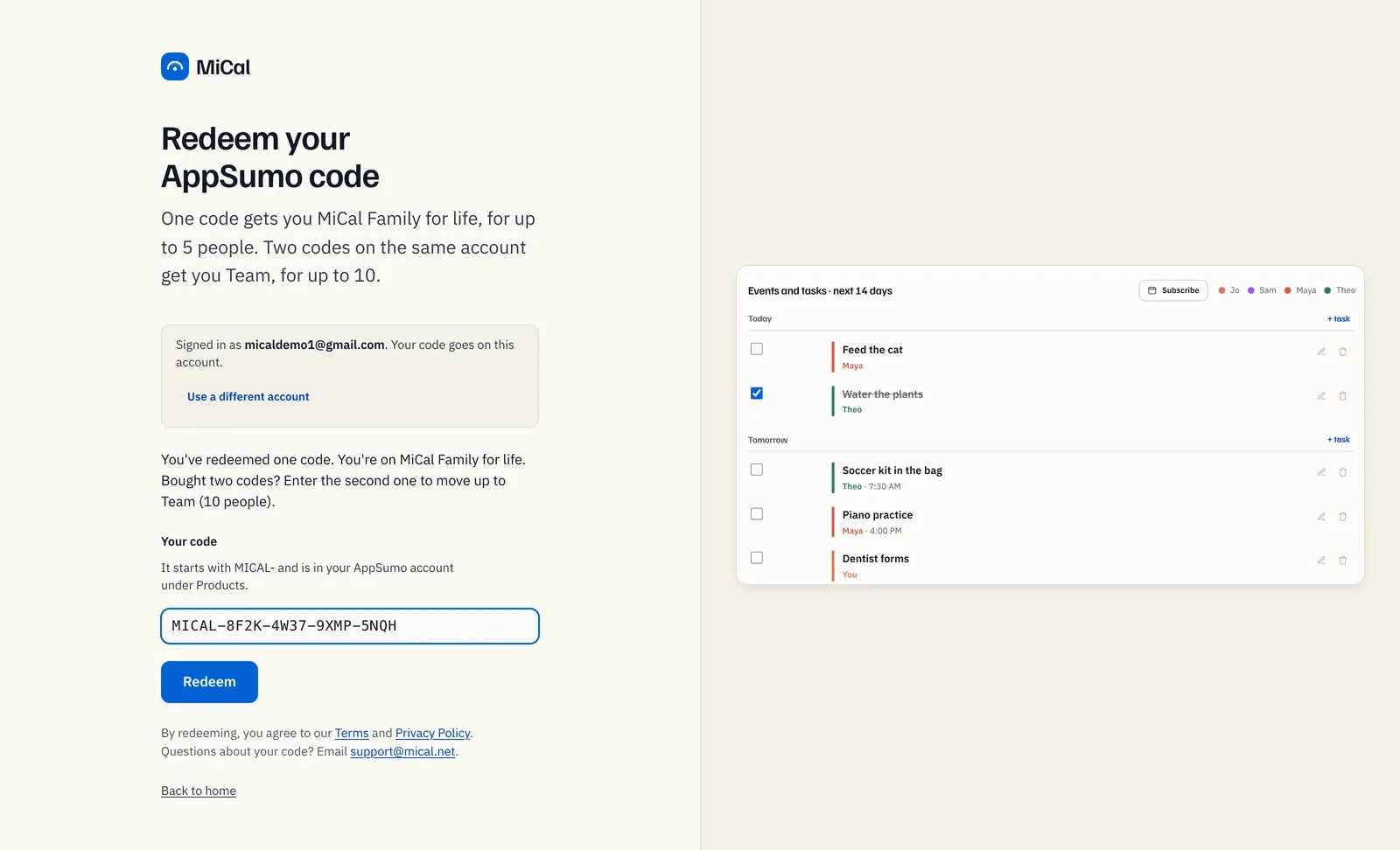
Redeem your AppSumo code for lifetime MiCal. One code gives you Family, for up to 5 people. A second code on the same account gives you Team, for up to 10. No card is needed.
Before you start
Your code. It is in your AppSumo account, under Products, and starts with MICAL-.
The Google or Microsoft account you use for MiCal. Your code goes on whichever account you sign in with.
The redeem page:
https://www.mical.net/appsumo.
Redeem your first code
Go to
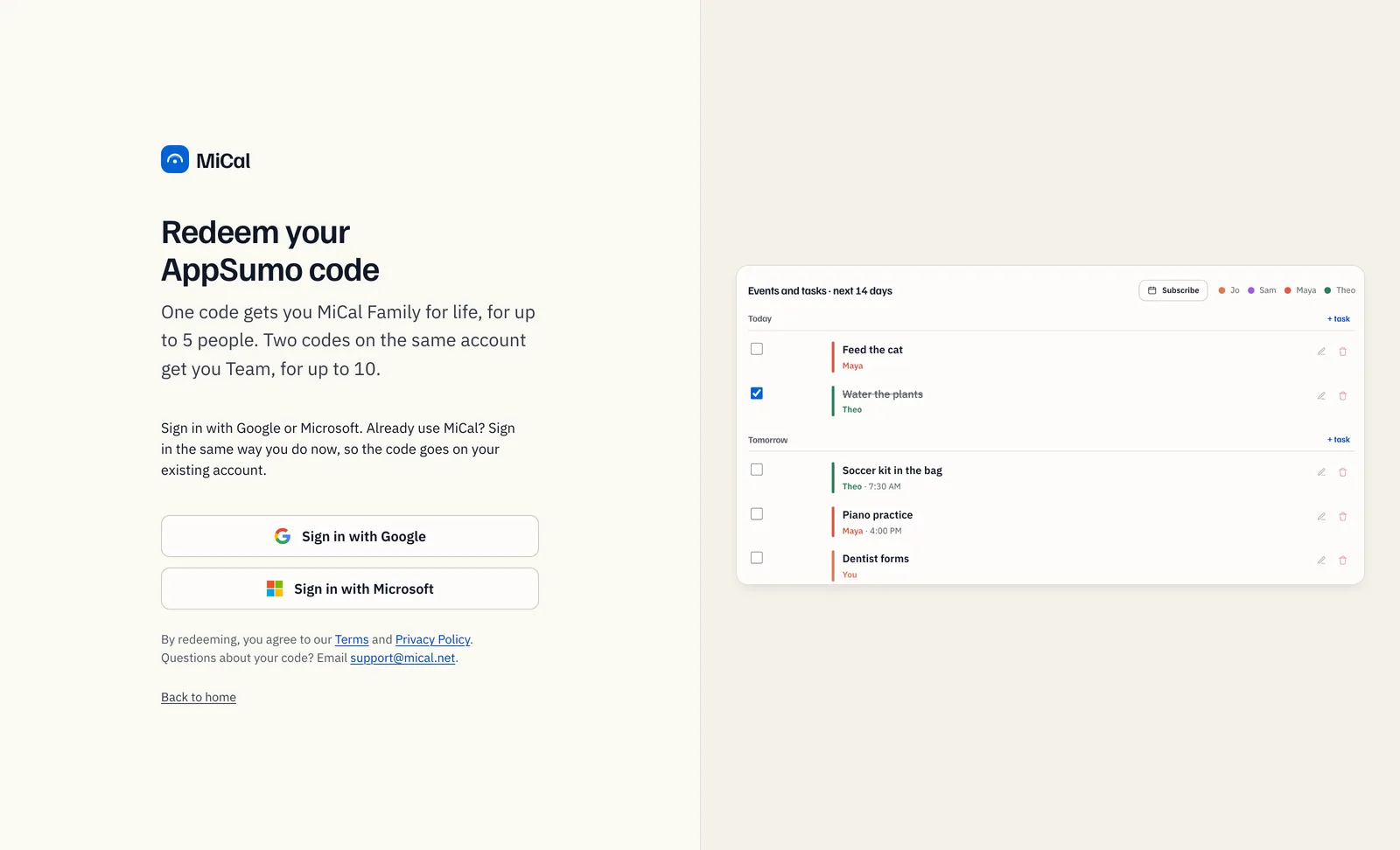
https://www.mical.net/appsumo.Select Sign in with Google or Sign in with Microsoft. Use the same one you already use for MiCal. New to MiCal? Signing in makes your account. The page then shows Signed in as with your email. Wrong account? Select Use a different account.
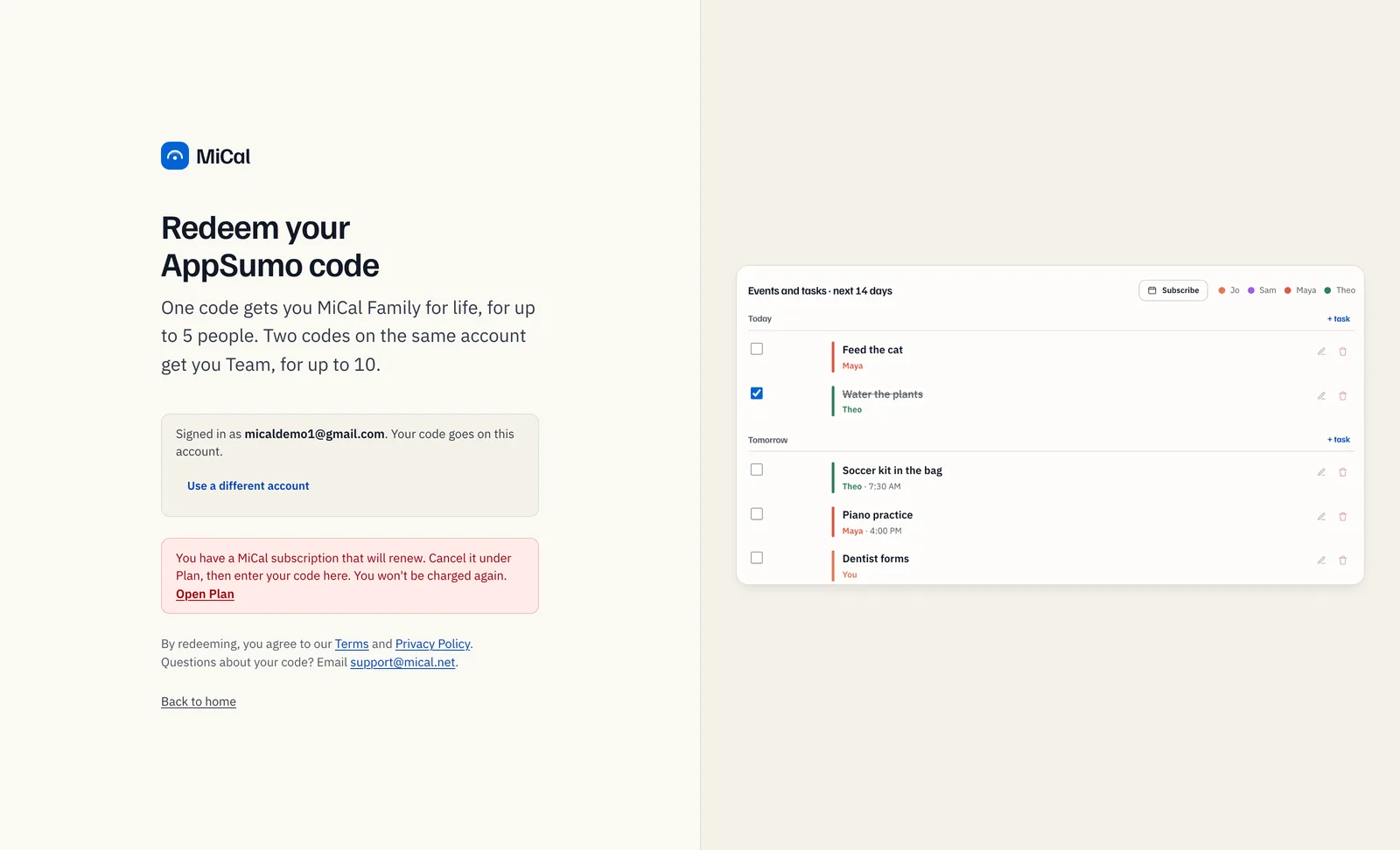
If you pay for a MiCal subscription, MiCal will not take a code while it can still charge. The page says You have a MiCal subscription that will renew. Select Open Plan, then Manage subscription, and cancel it there. Come back and redeem. You are not charged again.
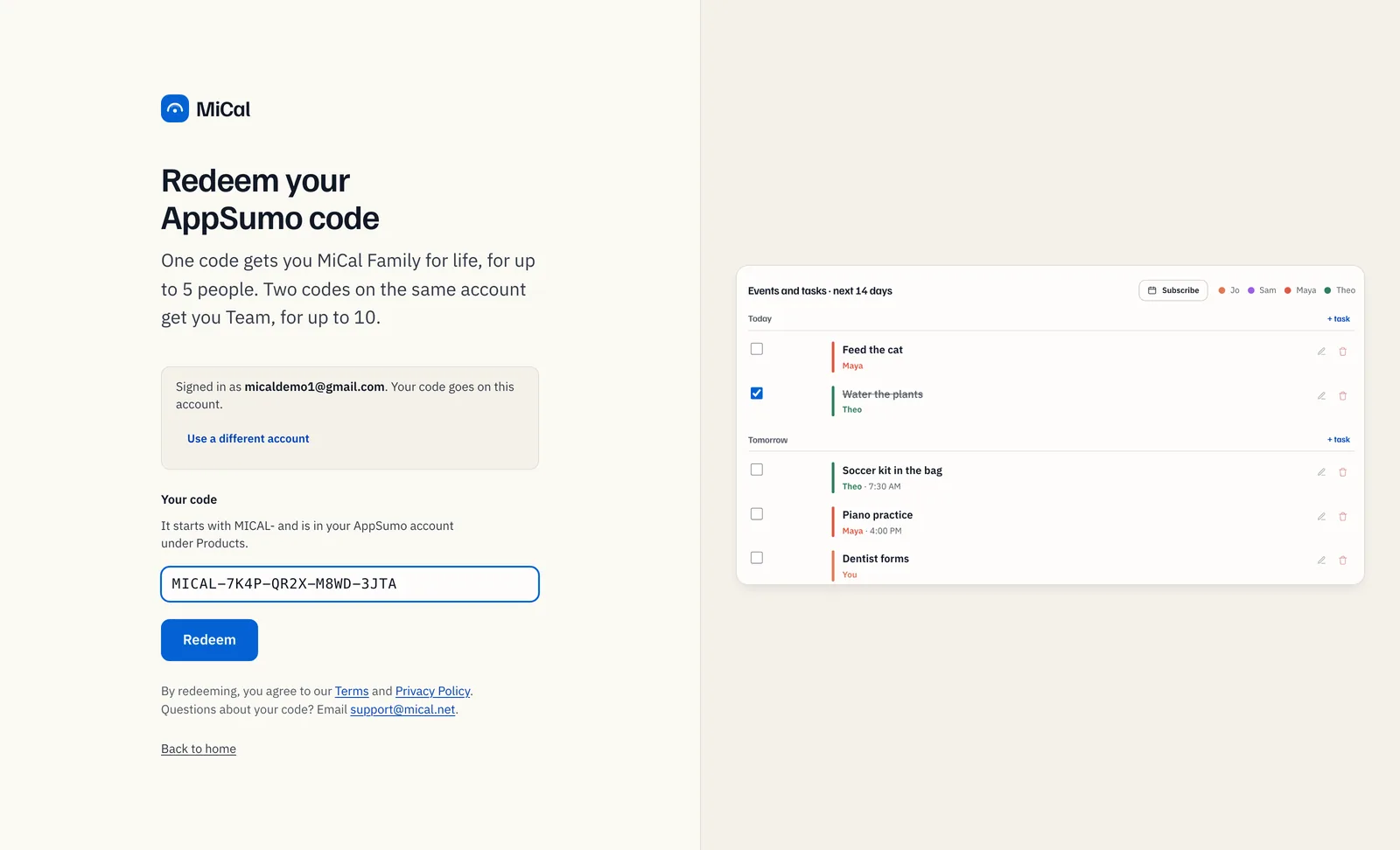
Paste the code into Your code, then select Redeem. Case, spaces and dashes do not matter. You can leave off MICAL-.
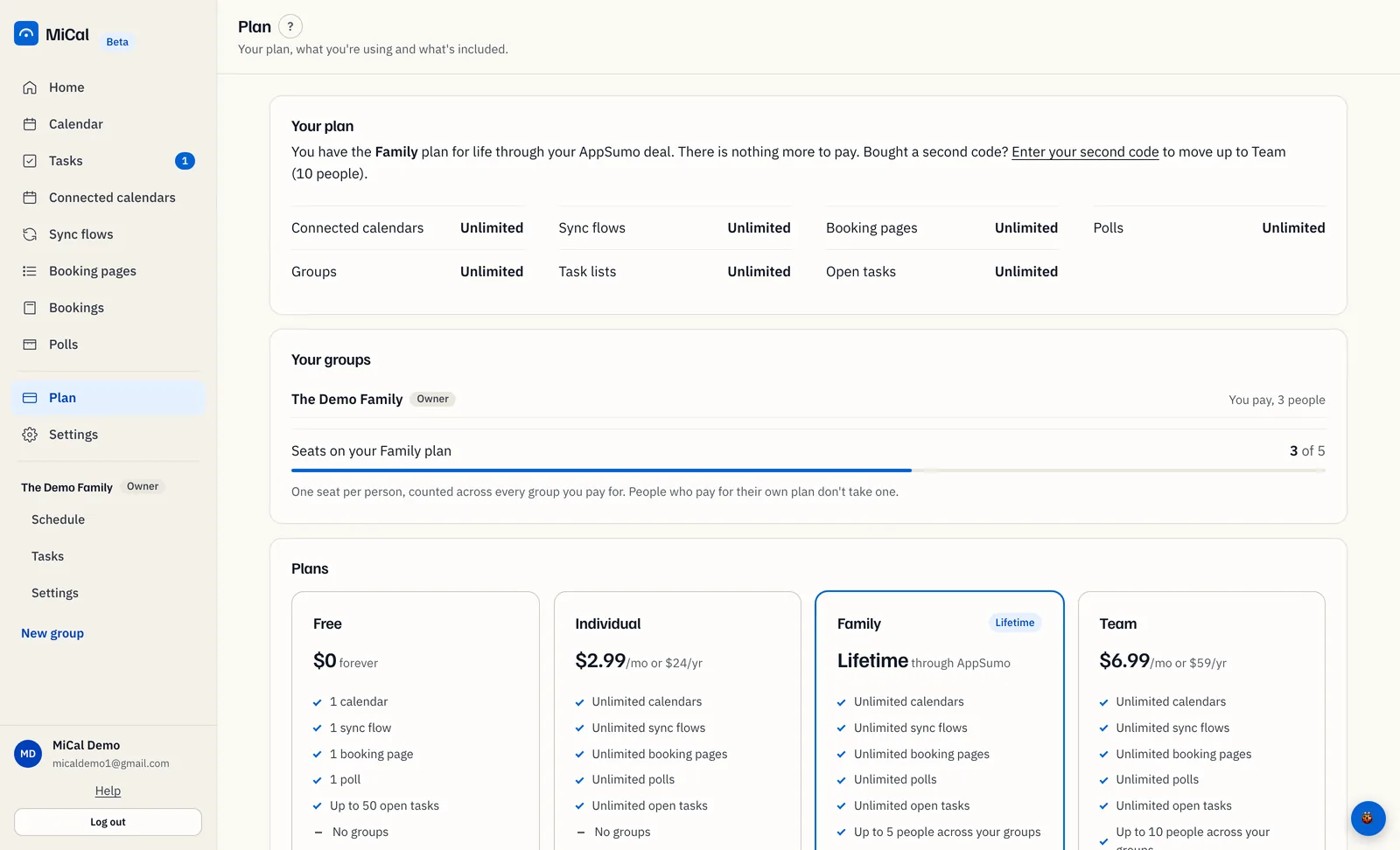
The page confirms You're on MiCal Family for life. It suggests making a family group and inviting up to 4 people. On Plan, the Family card shows a Lifetime badge.
Move up to Team with a second code
Select Plan in the sidebar. On the Your plan card, select Enter your second code.
Check that Signed in as shows the account that has your first code. Paste the second code into Your code, then select Redeem.
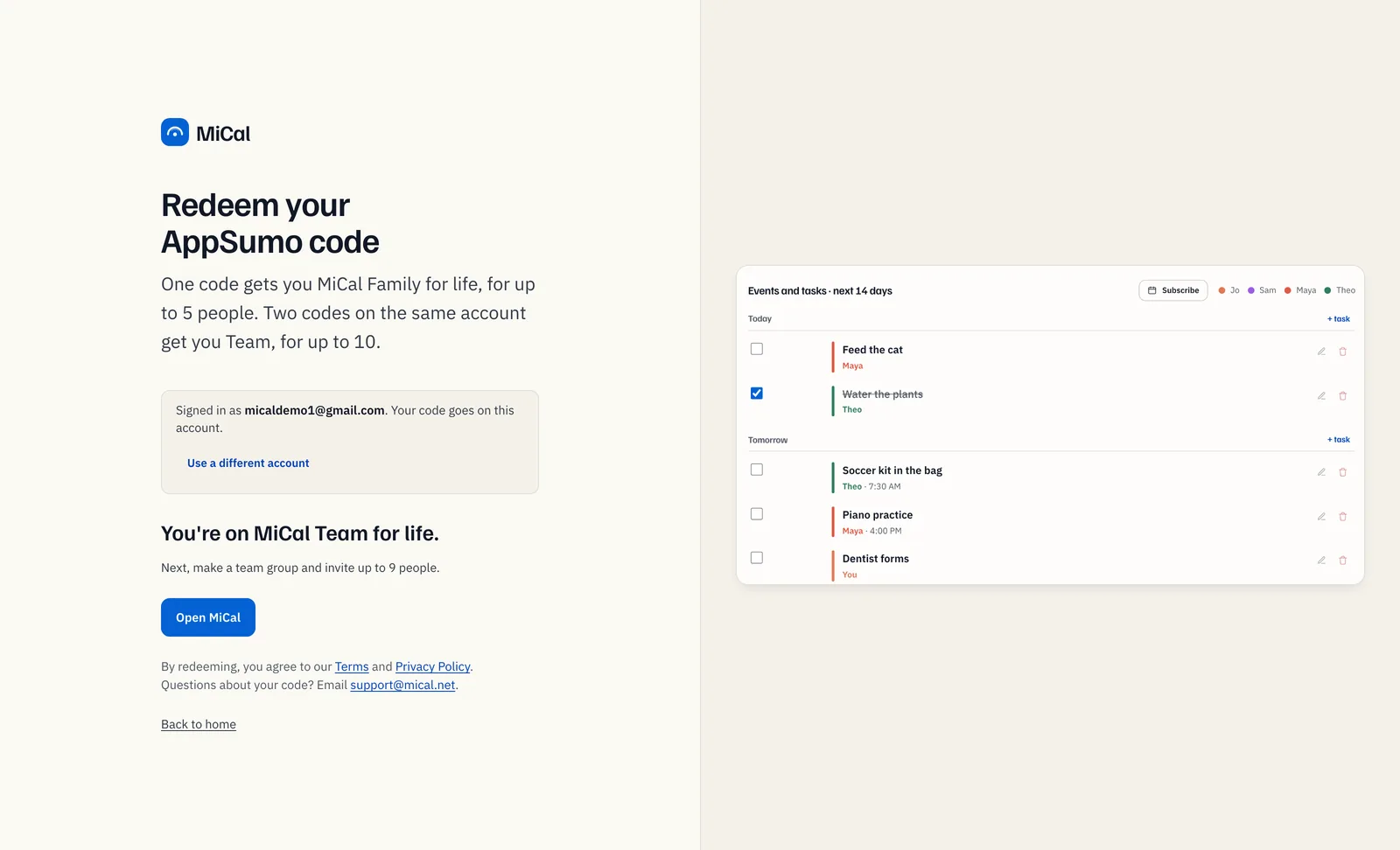
The page confirms You're on MiCal Team for life. It suggests making a team group and inviting up to 9 people.
Notes
One account takes at most two codes. A third is refused.
A trial, a booking-page gift or a friends-and-family plan is replaced by the deal. Your calendars, sync flows, booking pages, polls and groups stay as they are.
Nothing to pay and no card to add, ever.
If AppSumo refunds a code, your account moves to the plan its remaining codes give. Team becomes Family if one code is left, and Free if none is. Nothing is deleted.
A code that is not valid, or is already used, shows That code isn't valid or has already been used. Questions? Email support@mical.net.
Still stuck? Email support@mical.net. Privacy · Terms