Share calendars with a group
Choose which of your calendars a group sees, and how much of each. The group's free times only count people who share a calendar.
Before you start
You belong to the group.
You have a Google, Outlook or iCloud calendar connected under Connected calendars. A read-only calendar link (ICS feed) cannot be shared.
Share one or several calendars
In the sidebar, select Settings under the group's name.
In My calendars in this group, select Share a calendar. The button is missing when every calendar you can share is already shared.
Under Calendars to share, tick each calendar. Calendars already shared do not appear.
Under What members can see, choose Full detail or Free/busy only.
Select Share. The button counts your picks, for example Share 3 calendars.
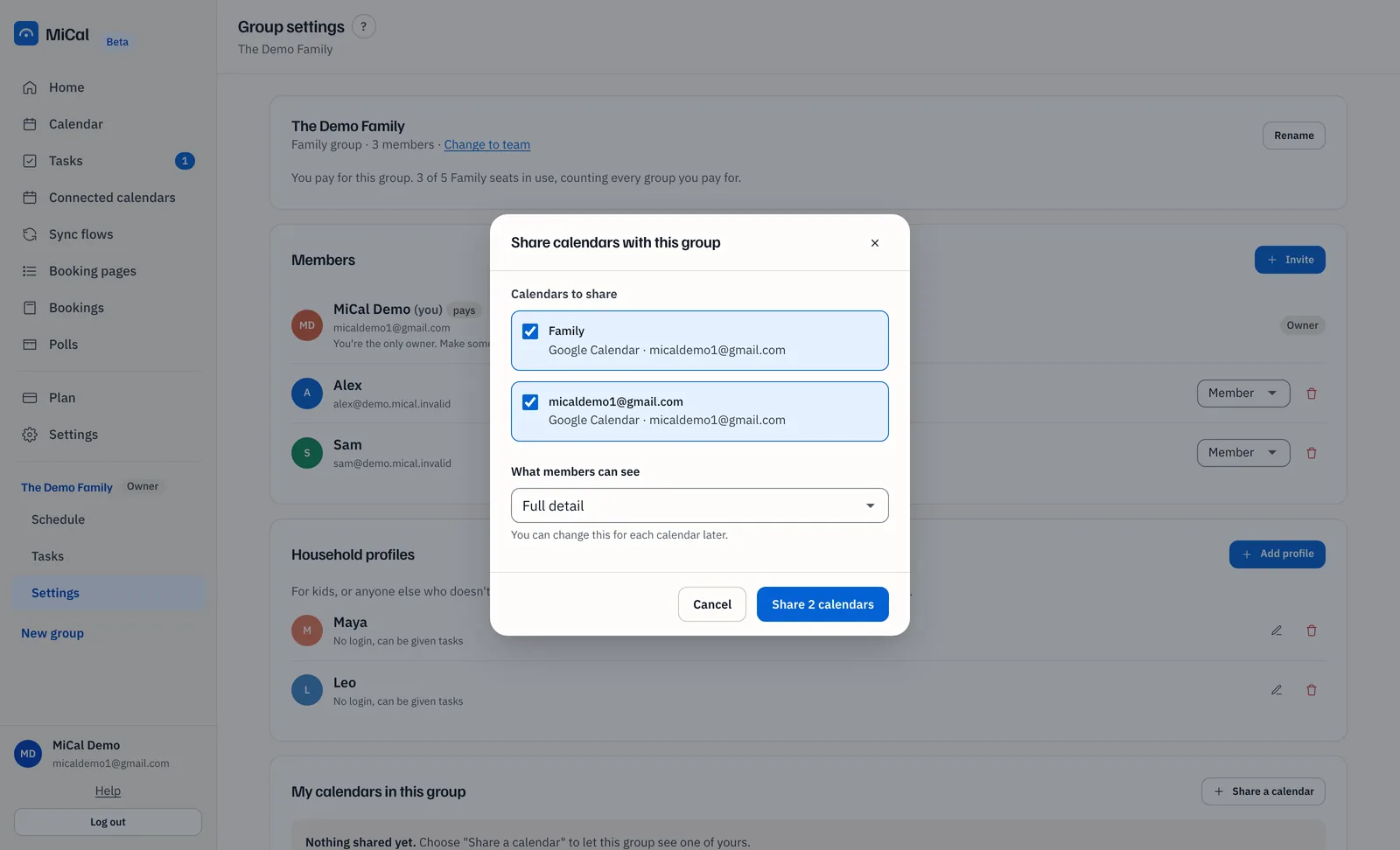
If some calendars fail, the dialog stays open on the ones that did not go through, with the reason.
Change a level or stop sharing
Each shared calendar has its own menu in My calendars in this group.
Full detail shares event titles and times.
Free/busy only shows busy blocks. Members see Busy, with no title, place or notes.
Hidden keeps the calendar listed but shares nothing. It is not counted in the group's free times.
The new level applies straight away. To remove a calendar from the group, select the trash icon on its row.
What members see
Events you mark private or confidential in Google or Outlook always show as a plain busy block, even at Full detail.
Get everyone's free time on the group calendar
The group calendar shows shared free time once each person has joined, connected a calendar and shared it.
An owner or admin selects Invite in the Members card and sends the invites.
Each person connects a calendar under Connected calendars, then shares it as above.
Open Calendar and choose the group in the Group menu. See Find a time everyone is free.
Notes
On a phone, open Family, then Sharing and group settings.
Each person decides what they share. You can also narrow what you see of someone else. See Control how you see each member.
Still stuck? Email support@mical.net. Privacy · Terms