Sync now, preview and undo
Every flow on Sync flows has its own controls. Each one acts on that flow only.
Find the controls
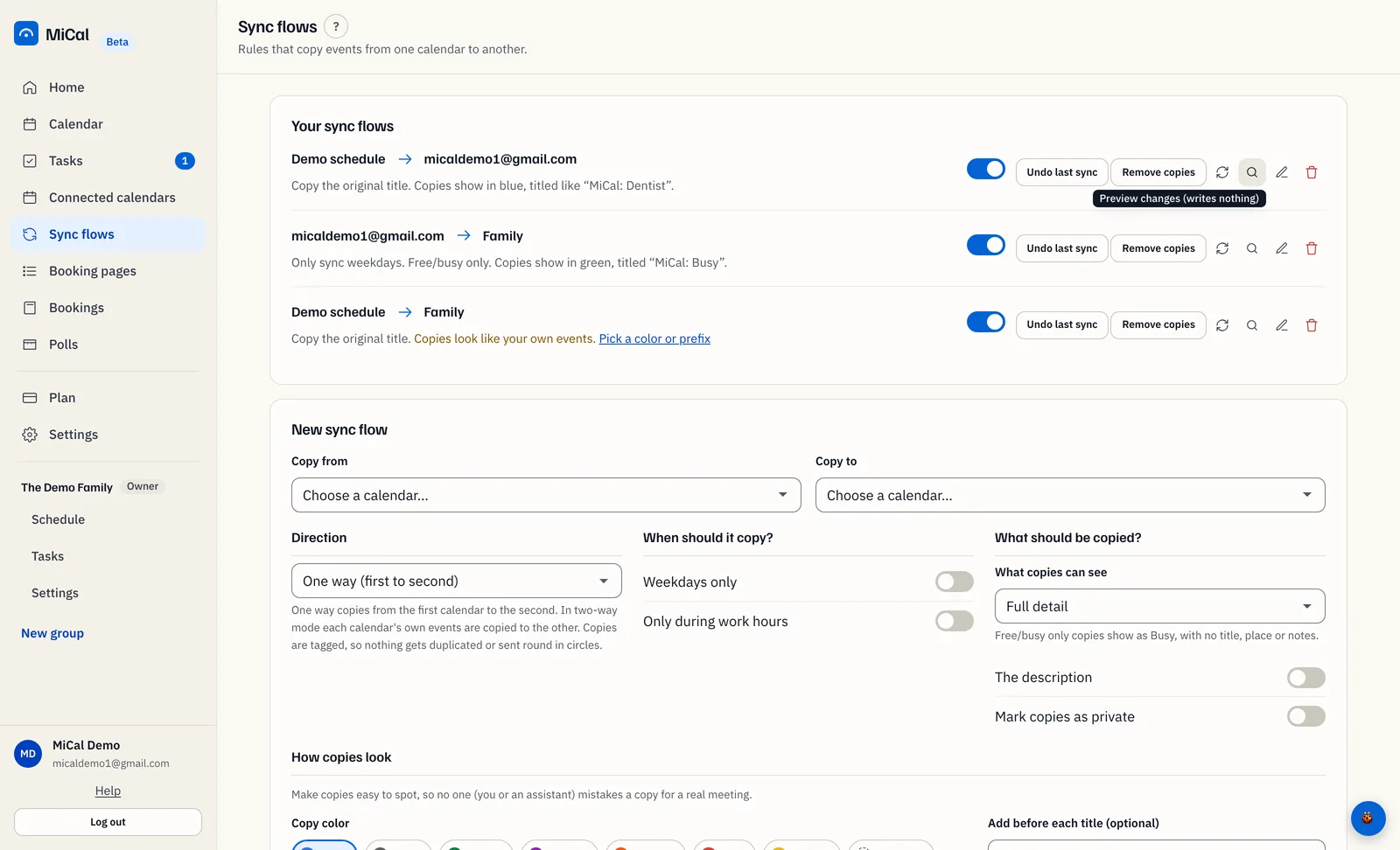
Open Sync flows. The toggle at the left turns the flow on or off. On the right are two buttons, Undo last sync and Remove copies, then four icons: Sync now, Preview changes (writes nothing), Edit, and Delete this sync flow. Hover over an icon, or tab to it, to see its name.
When flows run
A flow that is on runs by itself about every 10 minutes. Each run covers events from 7 days back to 30 days ahead. A flow that is off never runs. You do not need to turn it on again after each run.
Sync now
Use it when you cannot wait for the next run.
On the flow's row, select the Sync now icon (round arrows).
When the run ends, a message reports the result, for example "Synced. Created 2, updated 1, deleted 0."
Sync now changes your calendars for real. To see the plan first, use the preview.
The flow must be on. If it is off, MiCal says "Turn this sync flow on before running it."
You can run 10 manual syncs in 10 minutes. After that, MiCal says "Too many manual syncs. Try again in a few minutes." The automatic runs keep going.
If the flow is already running, MiCal says "This sync flow is already running. Try again in a minute."
Preview a flow
A preview shows what the next run would do. It writes nothing to either calendar.
On the flow's row, select the magnifier icon (Preview changes (writes nothing)).
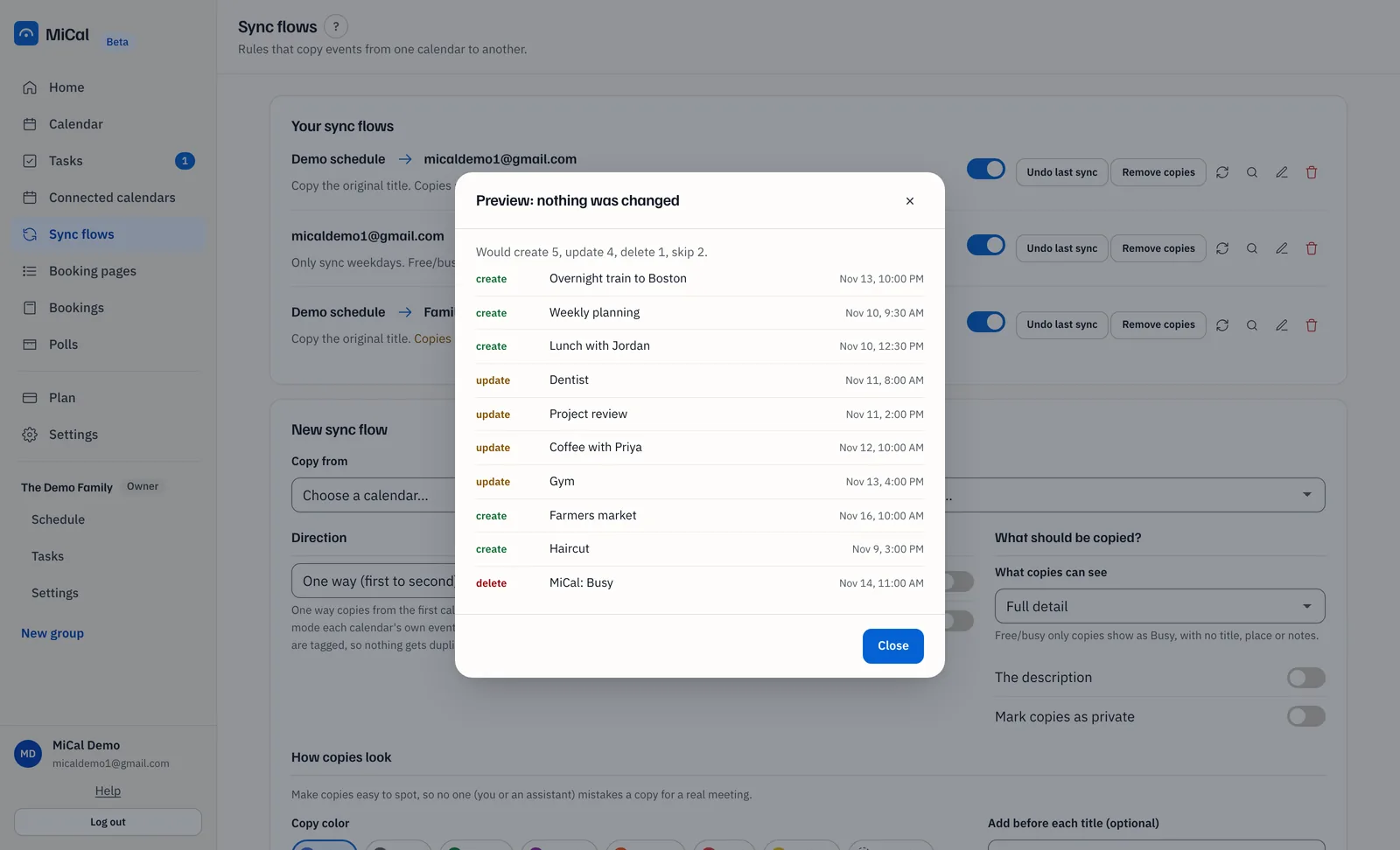
Read the dialog Preview: nothing was changed. It starts with a count such as "Would create 2, update 1, delete 0, skip 0.", then lists the events. A two-way flow lists "From the first calendar to the second" and "From the second calendar to the first" separately.
Select Close.
You can preview a flow that is off. A preview never counts as a run.
Undo the last sync
Undo reverses the changes the flow made on its latest run, then turns the flow off.
On the flow's row, select Undo last sync.
In the dialog Undo the last sync?, select Undo last sync to confirm.
MiCal reports "Undone." and how many changes it reversed. If some could not be reversed, it says how many.
Events the run created are removed. Updates are put back. Events it deleted are re-created.
Undo covers only the latest run that changed something, and only within the last 14 days.
Edits you made to synced copies may be lost.
To run the flow again, turn its toggle back on.
For older changes, use Remove copies.
Still stuck? Email support@mical.net. Privacy · Terms