Upgrade your plan
MiCal has four plans: Free, Individual, Family and Team. Compare them on the Plan page, then upgrade from the card you want.
What each plan includes
Free, $0: 1 calendar, 1 sync flow, 1 booking page and 1 poll. No groups.
Individual, $2.99 a month or $24 a year: unlimited calendars, sync flows, booking pages and polls. No groups.
Family, $4.99 a month or $39 a year: everything in Individual, plus groups of up to 5 people.
Team, $6.99 a month or $59 a year: the same as Family, with groups of up to 10 people.
Pricing is flat. It does not change with the number of people in your group.
Before you start
You are signed in.
Your workspace is on Free, a trial or a booking-page gift.
Steps
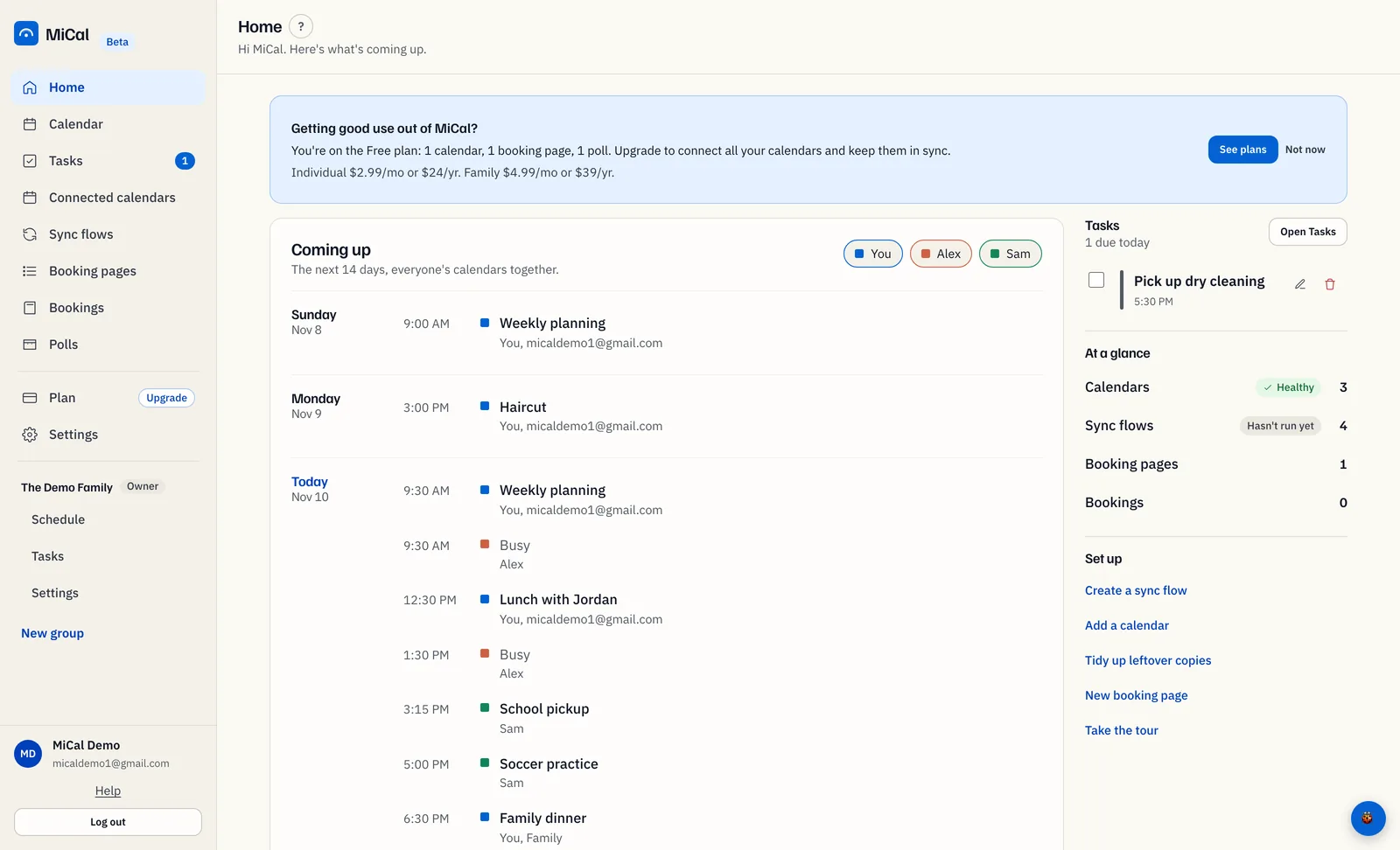
Open the Plan page. Select Plan in the sidebar. On Free, an Upgrade tag sits next to it. You can also select See plans on the upgrade card on Home, or on the Upgrade to continue message that appears when you hit a limit.
Compare the plans. Your plan shows what you use against your limits: Connected calendars, Sync flows, Booking pages, Polls and Groups. Plans lists each plan with its price and limits.
Choose a plan. Select Upgrade to Individual, Upgrade to Family or Upgrade to Team. Pick Family or Team if you want a group with shared calendars.
Pay on the secure checkout page. When the payment goes through, your new plan shows on Plan. Your calendars, sync flows and booking pages stay as they are.
Notes
On a trial, your current plan card says Keep Individual. On a 90-day gift, it says Keep Family, and the Individual card says Switch to Individual.
The upgrade card on Home shows after about three days on Free, or as soon as you make a booking page. Not now hides it for 14 days on that browser.
Upgrade buttons appear only on plans above your current one.
The Upgrade tag leaves the sidebar once you are on a paid plan.
Already paying? The cards say Change plan in your billing portal instead. See Change or cancel your subscription.
At a limit, MiCal blocks new items but never deletes what you have. Select See plans on the Upgrade to continue message, or Not now to close it. If you are not the group owner, the message says Read-only for now. Ask the owner to upgrade.
Still stuck? Email support@mical.net. Privacy · Terms