Check the group is free and book a time
Check one time against everyone's shared calendars, then book it and invite the whole group.
Before you start
You are an active member of the group. Only an owner or admin can book.
To book, a Google, Outlook or iCloud calendar of yours is connected and can take events. A read-only calendar link (ICS feed) cannot.
The check only sees what members share. A calendar set to Free/busy only still counts as busy.
Check a time
In the sidebar, select Schedule under the group's name. The Ask the family card (Ask the team for a team) sits at the top.
Type What, such as "Dinner with the Smiths". Choose When. Pick a Duration: 30 min, 1 hour, 1.5 hours, 2 hours or 3 hours.
Select Check.
Read the answer. Everyone is free. means nobody has anything on then. Otherwise MiCal names who has something on and how many events overlap. Change When and select Check again.
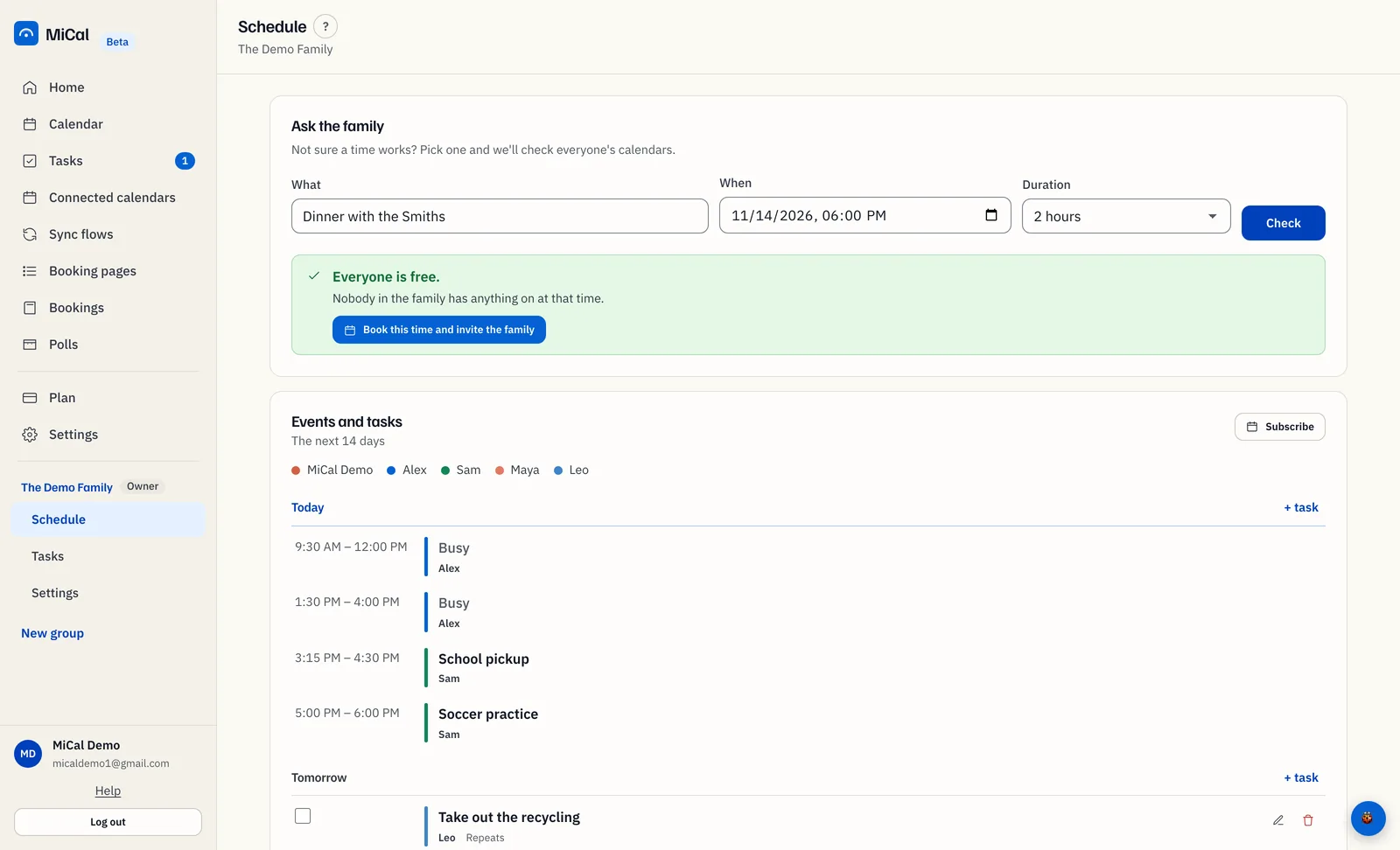
The answer goes away when you change When or Duration. A check is a snapshot, so run it again after calendars change.
Book the time
When the answer is Everyone is free., select Book this time and invite the family (or team).
Check the Event title.
Under Add the event to, choose the calendar. MiCal picks a calendar the group can already see.
Select Book & invite.
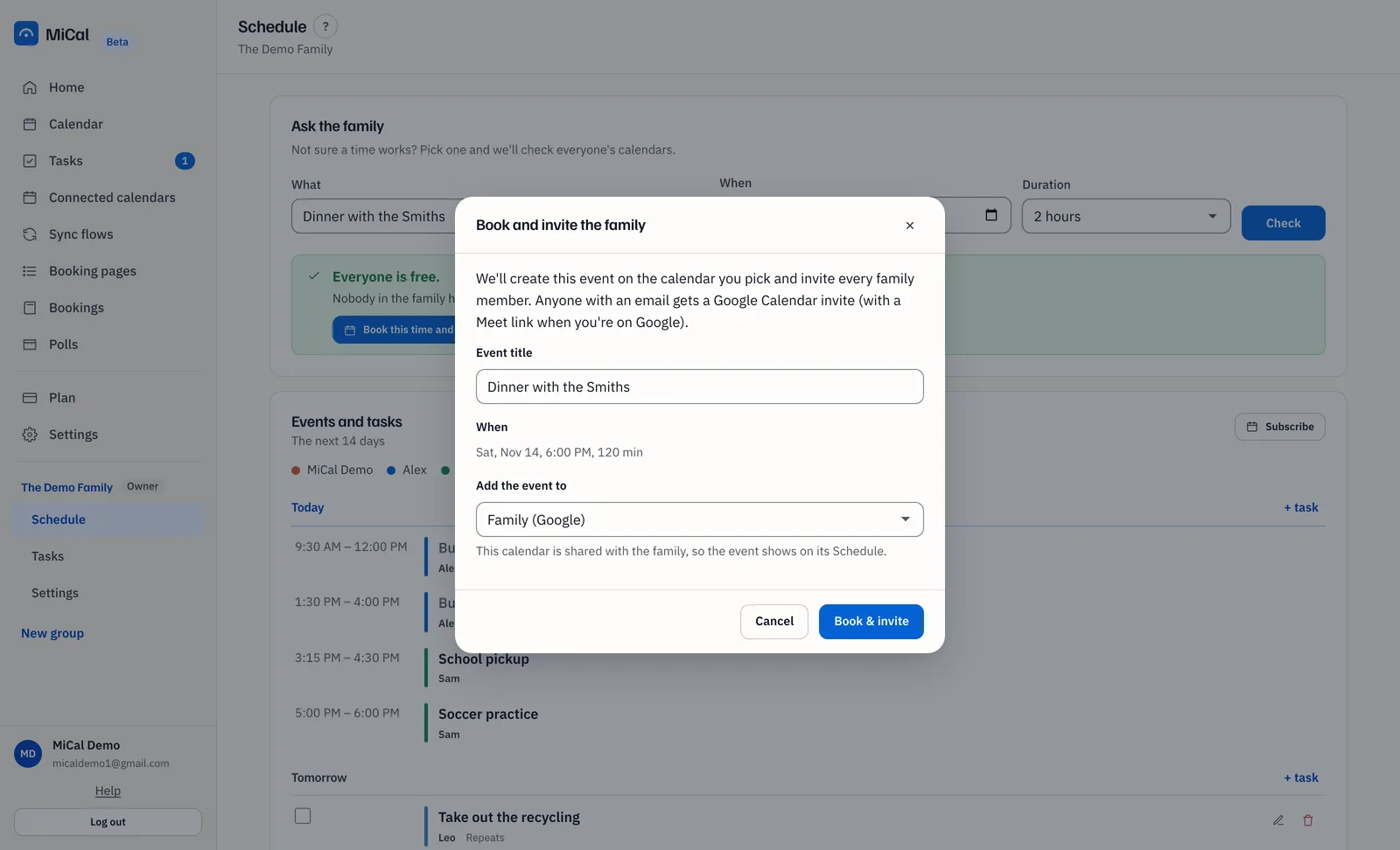
MiCal creates one event on that calendar and invites every other active member who has an email. On a Google calendar with no location, it adds a Meet link. The book button goes away after booking, so a slot is booked once.
Which calendar to choose
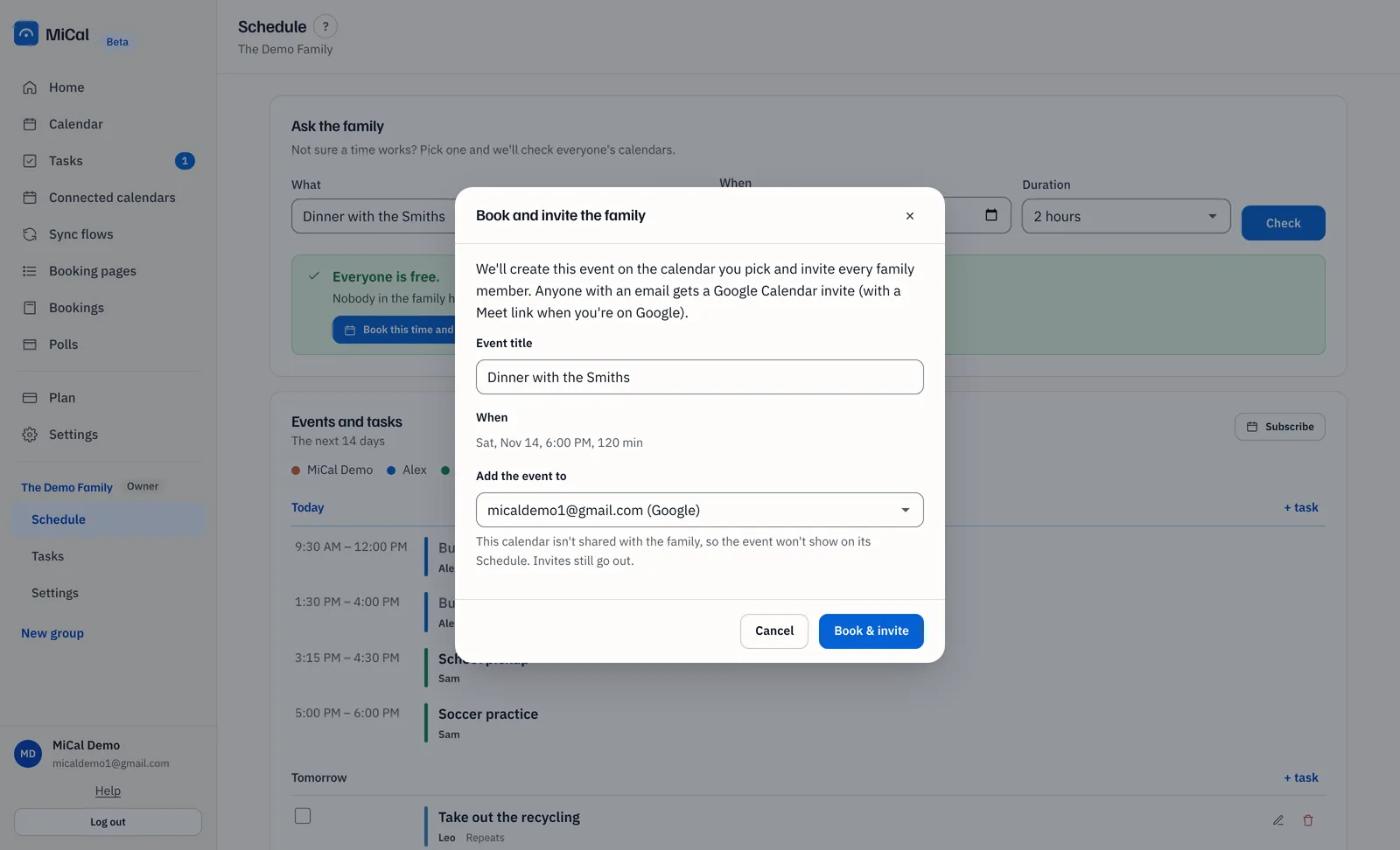
The note under Add the event to tells you what will happen.
This calendar is shared with the family, so the event shows on its Schedule. The event appears on the group Schedule.
This calendar isn't shared with the family, so the event won't show on its Schedule. Invites still go out. The event lands on your calendar and members get invites, but the Schedule does not show it.
To make a calendar visible, share it in the group's Settings. See Share calendars with a group.
On your phone
Tap Ask in the bottom bar, between Tasks and Booking.
Tap What and type the plan. It is optional. Set Day and Time. Under How long, pick 30 min, 1 hr, 2 hr or Evening. Evening runs from 5 pm to 10 pm, and is hidden from 9 pm on.
Tap Check. The card shows one answer.
If it says Everyone is free., an owner or admin can tap Book this time and invite the family. Other members see "An owner or admin can book it for everyone."
If someone is busy, the card names who. Tap See free times that day to open Today at that date. Beyond the four days Today lists, it says "Try another time."
If an adult has not shared a calendar, the answer reads Everyone we can see is free. It names who MiCal cannot see, so check with them.
Still stuck? Email support@mical.net. Privacy · Terms