When a group's plan ends
A group's Family or Team plan comes from the person who pays for it. When it is canceled or a renewal payment fails, the group is warned, keeps working until the end date, then becomes read-only. Nothing is deleted.
What the banner means
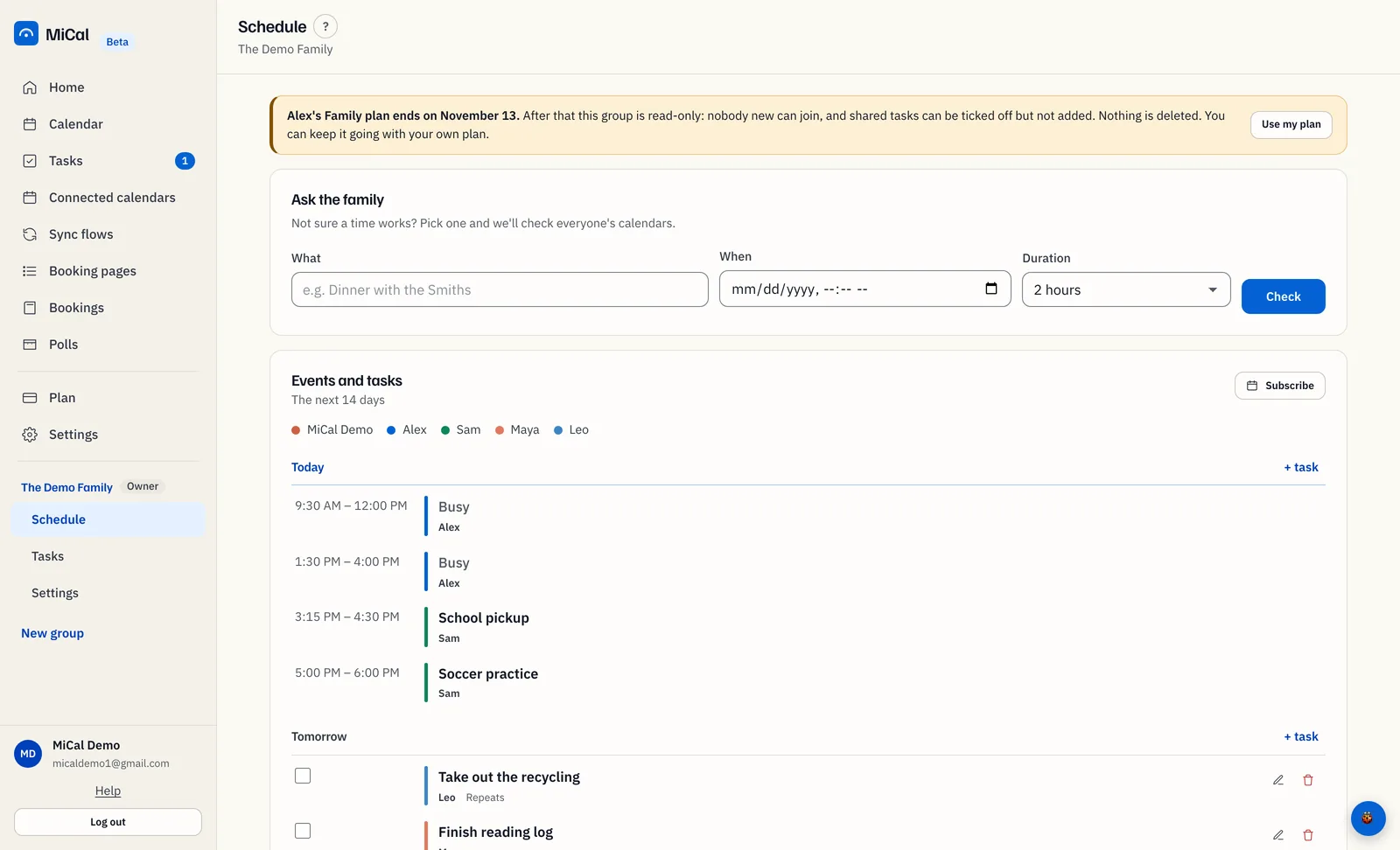
Everyone in the group sees a banner on the group's Schedule and Settings pages. It names the person who pays, their plan and the end date. Until that date the group works as usual.
The emails
Seven days before the end date, the payer and every active member get one email each. The payer's email has an Open Plan button. A member's email names the payer and the end date. Both say nothing is deleted.
After the end date
The group is read-only. Nobody new can join.
Shared tasks can be ticked off but not added.
Calendars, events and tasks already in the group stay.
The group works again as soon as a Family or Team plan pays for it.
If you pay for the plan
Select Plan in the sidebar.
Before the end date, select Resume subscription. If a renewal payment failed, select Update card instead.
If your plan was a booking-page gift, the banner says to subscribe. Select a plan on Plan before the end date.
If you own the group but someone else pays
With your own Family or Team plan, open the group's Schedule and select Use my plan on the banner. Your plan pays for the group from then on. See How group seats and payers work.
If you are a member
Ask the person who pays to keep the plan going. The group works again as soon as a Family or Team plan pays for it.
Restore read-only shared tasks
Shared tasks turn read-only when no group owner has an active Family or Team plan. Restarting a plan makes them editable again.
Open your group in the sidebar and select Tasks. The note above your lists says shared tasks are read-only. The add controls are off. Ticking tasks off still works.
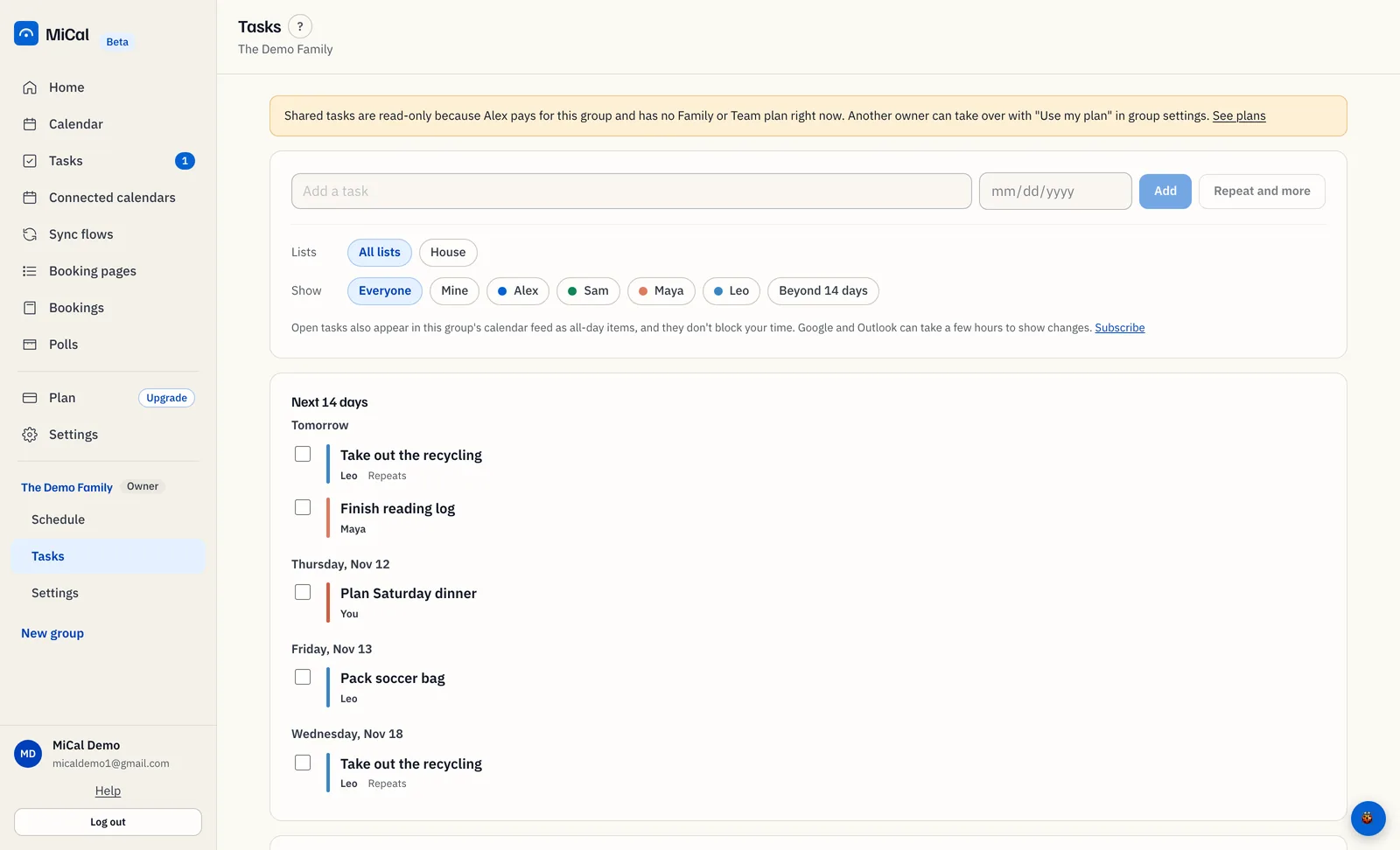
Select See plans in the note. Only a group owner sees this link. The Plan page opens.
In the notice that says shared tasks are read-only, select Restart Family or Restart Team, then finish checkout. Team suits a work group, and Family suits a family group. Shared tasks are editable again once billing restarts.
If you already pay for a subscription that needs attention, the notice sends you to the billing portal instead. Another owner can also fix this with Use my plan in the group's settings.
Notes
Nothing is deleted while a group is read-only.
Only a group owner can restart the plan.
Still stuck? Email support@mical.net. Privacy · Terms