How group seats and payers work
A Family plan has five seats and a Team plan has ten. Every group one person pays for shares that single pool, so seats do not reset for each group.
One pool per payer
Each group has one payer. That payer's Family or Team plan covers every group they pay for. Five people on Family or ten on Team are counted once across all of those groups.
Who takes a seat
One seat per person, however many of the payer's groups they belong to.
The payer takes a seat.
Someone who pays for their own plan takes no seat.
Household profiles for kids take no seat.
Only active members count. Pending invites do not.
See your seat usage
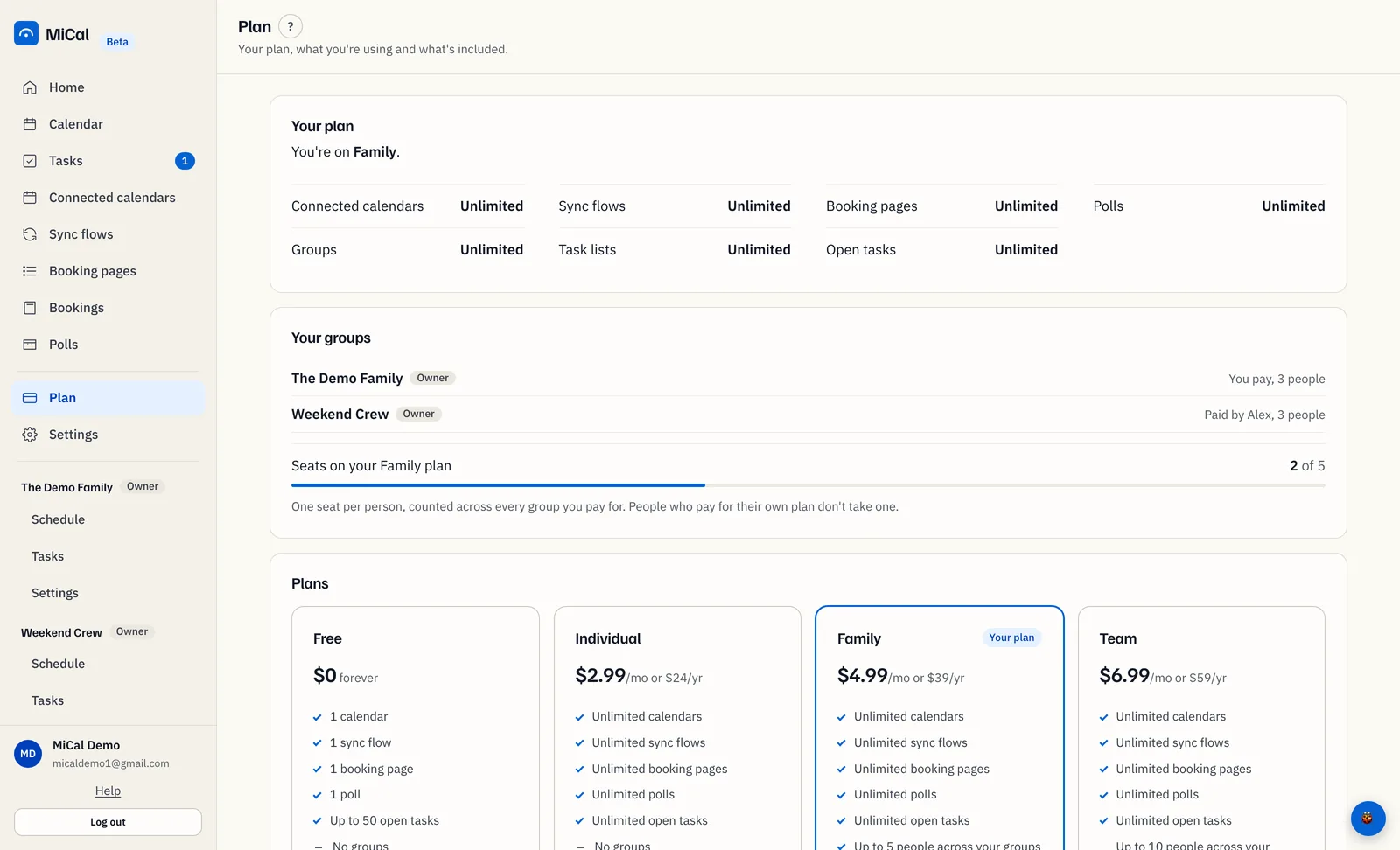
Select Plan in the sidebar and find Your groups. Each row names who pays: You pay or Paid by a name, with the number of people. If you pay for any group, a meter reads Seats on your Family plan (or Team plan), for example 3 of 5.
In a group's Settings, the group card reads, for example, "Paid by Maya. 4 of 5 Family seats in use, counting every group they pay for."
When the seats run out
Nobody is removed. Invites and joins are refused until the numbers fit. The invite form says "All 5 seats are in use. Remove someone to invite another person." The group can add people again when someone leaves, or when the payer moves to a bigger plan. To move from Family to Team, see Move a group to Team.
Take over paying for a group
An owner who pays for their own Family or Team plan can put a group on that plan. Trials and access covered by someone else's plan do not count. Your plan needs room for everyone in every group you pay for, with each person counted once.
In the sidebar, open the group and select Settings. The group card names the current payer next to Use my plan.
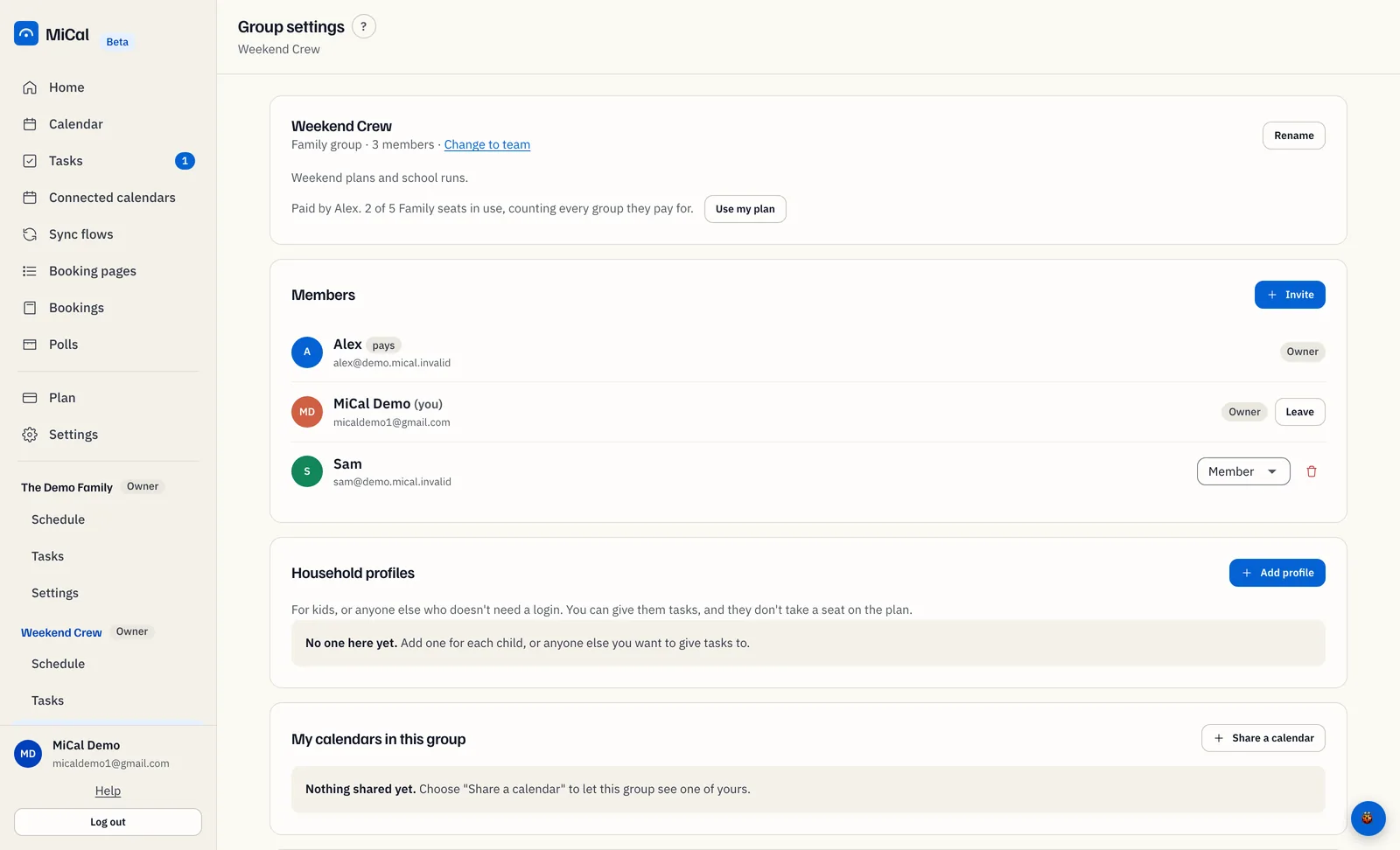
Select Use my plan.
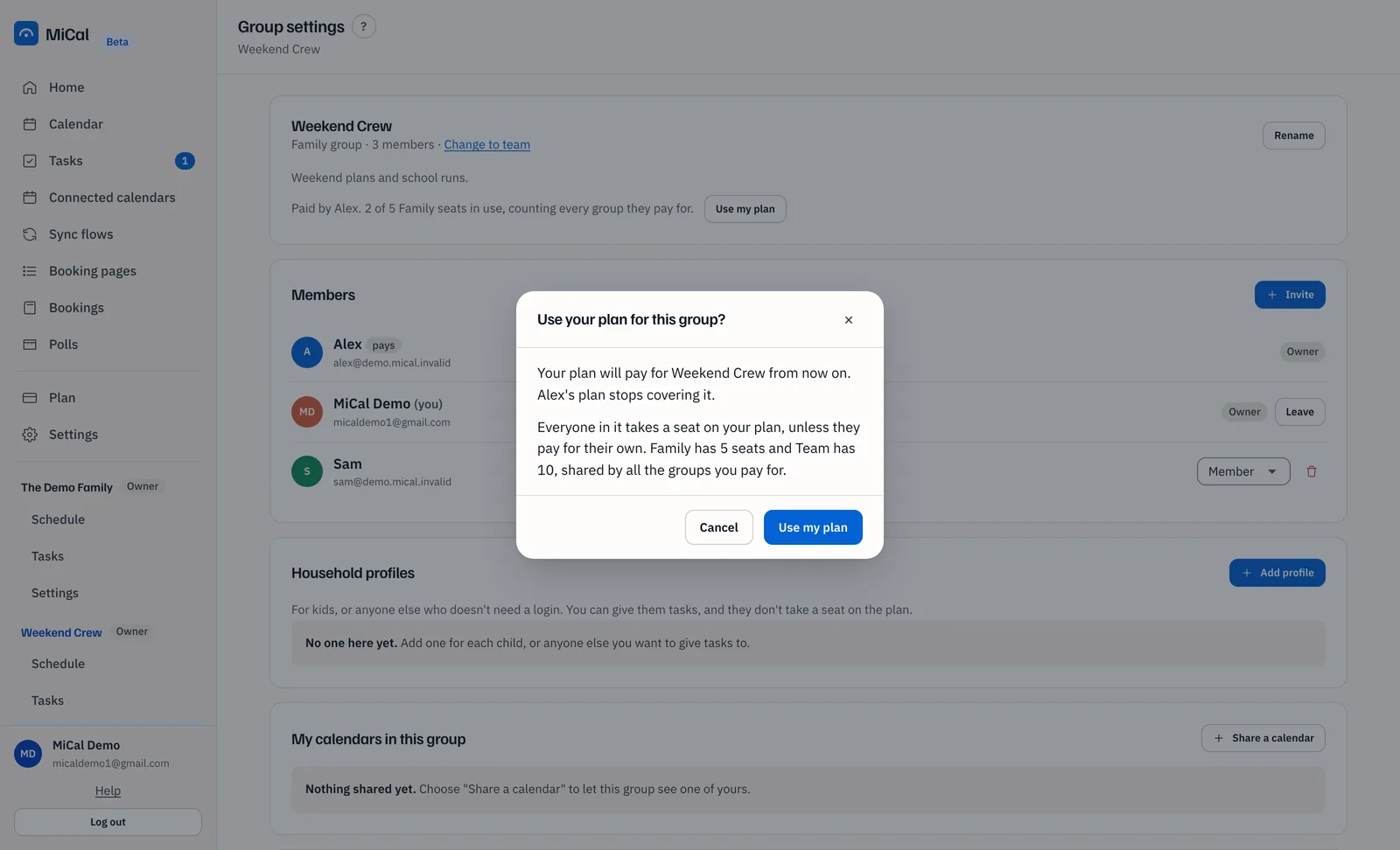
Read the confirmation, Use your plan for this group? It says your plan will pay for the group from now on, and the previous payer's plan stops covering it. Select Use my plan to confirm.
The card now reads You pay for this group. It shows how many seats are in use across every group you pay for.
If the switch would put you over your seats, MiCal tells you how many people it would add and how many your plan covers. Remove some people and try again. The same Use my plan button appears on the banner at the top of a group when its plan is ending.
When a group's plan covers you
If you are an active member of a group whose payer has a Family or Team plan, and you hold a seat, your own account gets Individual limits: unlimited calendars, sync flows, booking pages and polls. You do not need a subscription of your own.
Select Plan in the sidebar.
On Your plan, read whose plan covers you. Under Plans, the Individual card carries a Covered badge. Your groups lists the group and who pays.
Good to know:
A plan you pay for yourself wins when it is higher, so nothing you already pay for is lost.
Coverage follows seats. If the payer has more people than seats, the people who joined last are not covered.
If coverage ends, sync flows beyond the first one pause. They are not deleted, and they run again when coverage returns.
If you leave the group, you move to Free. Nothing you made is deleted.
Payer-only actions
Only the payer can remove or demote themselves.
Only the payer can delete the group.
Another owner cannot take away the plan that keeps everyone going. To take over, use Use my plan.
When a payer's plan ends
Everyone in the group sees a banner, and the payer and each member get an email 7 days before. After the end date, the group is read-only and nothing is deleted. See When a group's plan ends.
Still stuck? Email support@mical.net. Privacy · Terms