View the group schedule
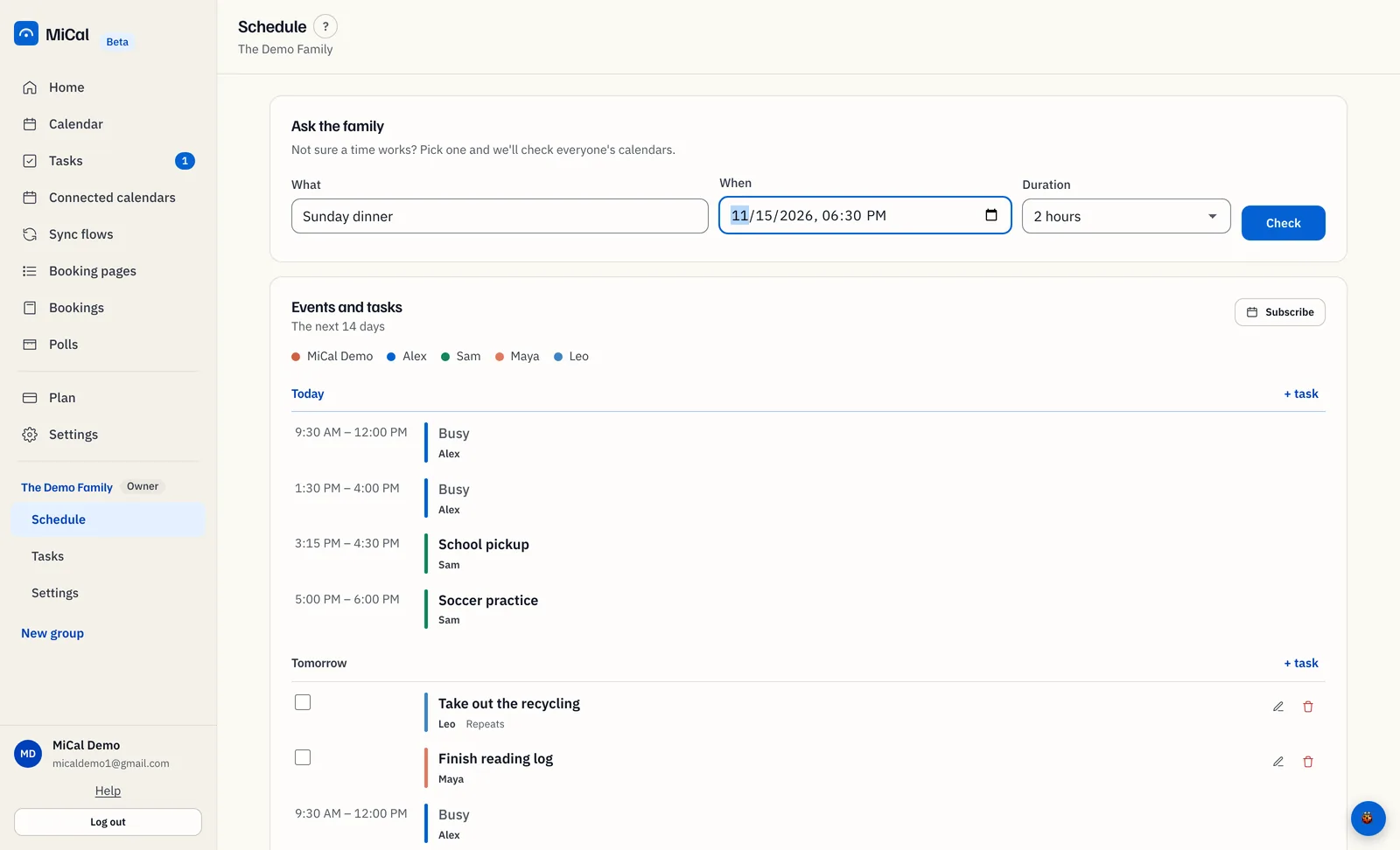
The group Schedule lists everyone's shared events for the next 14 days in one agenda, one color per member.
Before you start
You belong to a group. Its name is in the sidebar below the main menu.
At least one member has shared a calendar with the group.
Steps
In the sidebar, select Schedule under the group's name.
Find the card Shared calendar events. With Tasks on, it is Events and tasks. Under the title it says The next 14 days.
Read the agenda. Events are grouped by day. Today and Tomorrow come first, then each day by weekday and date. Each row shows the time, the title and who shared it. With Tasks on, a run of empty days folds into one line, such as "Nothing planned Nov 12 to Nov 14".
Match colors to people. Each row has a colored bar and the member's name. The names in the row under the card title show each member's color.
Notes
Events a member shares as free/busy show as Busy, with no title.
Select Subscribe to add the schedule to your own calendar app. See Subscribe to a group's calendar.
The Ask the family card above the agenda checks a time. See Check the group is free and book a time.
On a phone, the Schedule tab is the Ask screen. Use Today to see events.
Still stuck? Email support@mical.net. Privacy · Terms