Invite people to a group
Invite people to a group by email, one at a time or a whole list at once. Each person gets an email with a link to join.
Before you start
You are an owner or admin of the group. Only they see Invite.
The group has a free seat for each person. Seats come from the plan of the person who pays for the group: 5 on Family, 10 on Team. They are counted across every group that person pays for. Kids and other people without a login do not take a seat.
On a computer
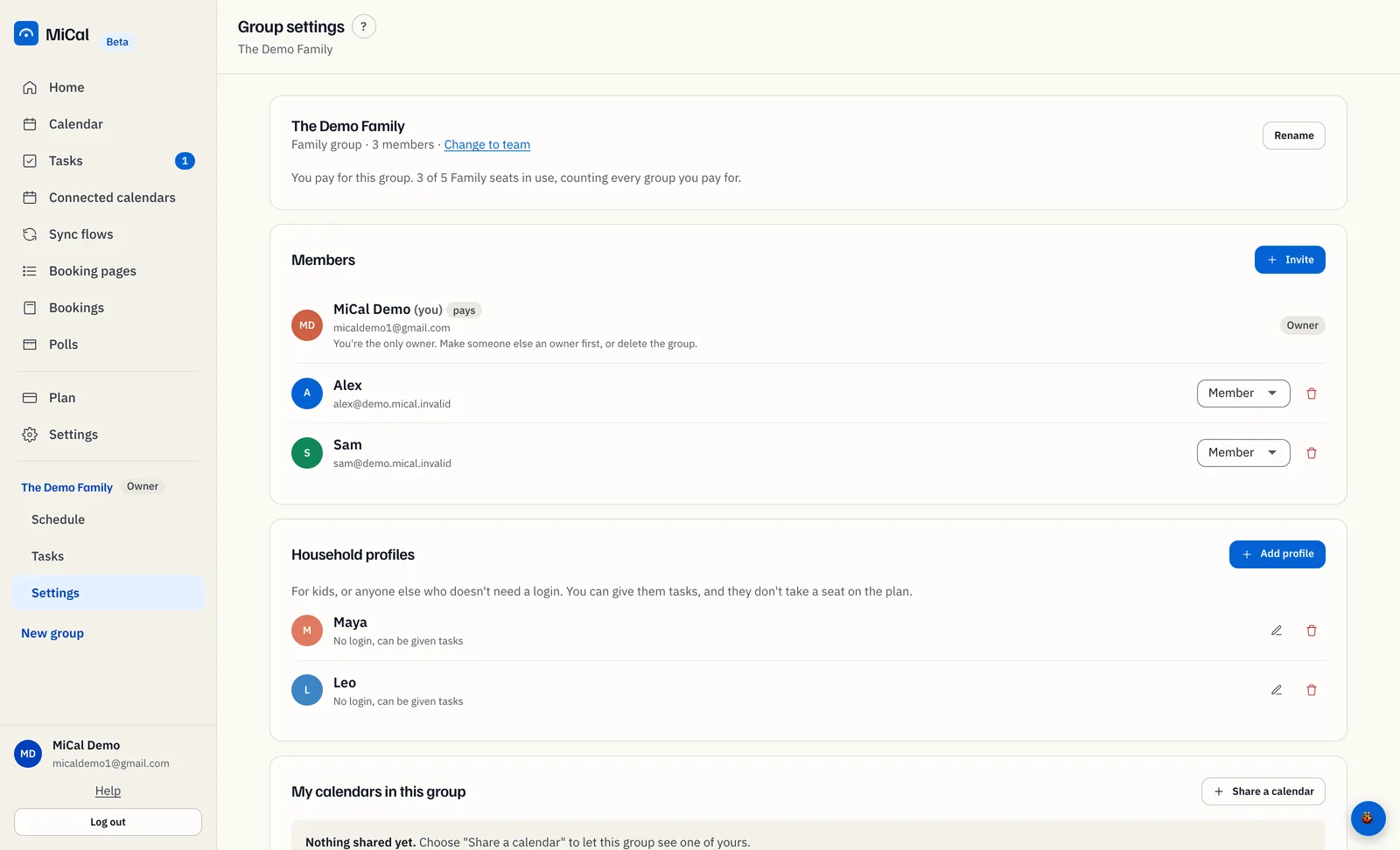
In the sidebar, select Settings under the group's name. On the Members card, select Invite.
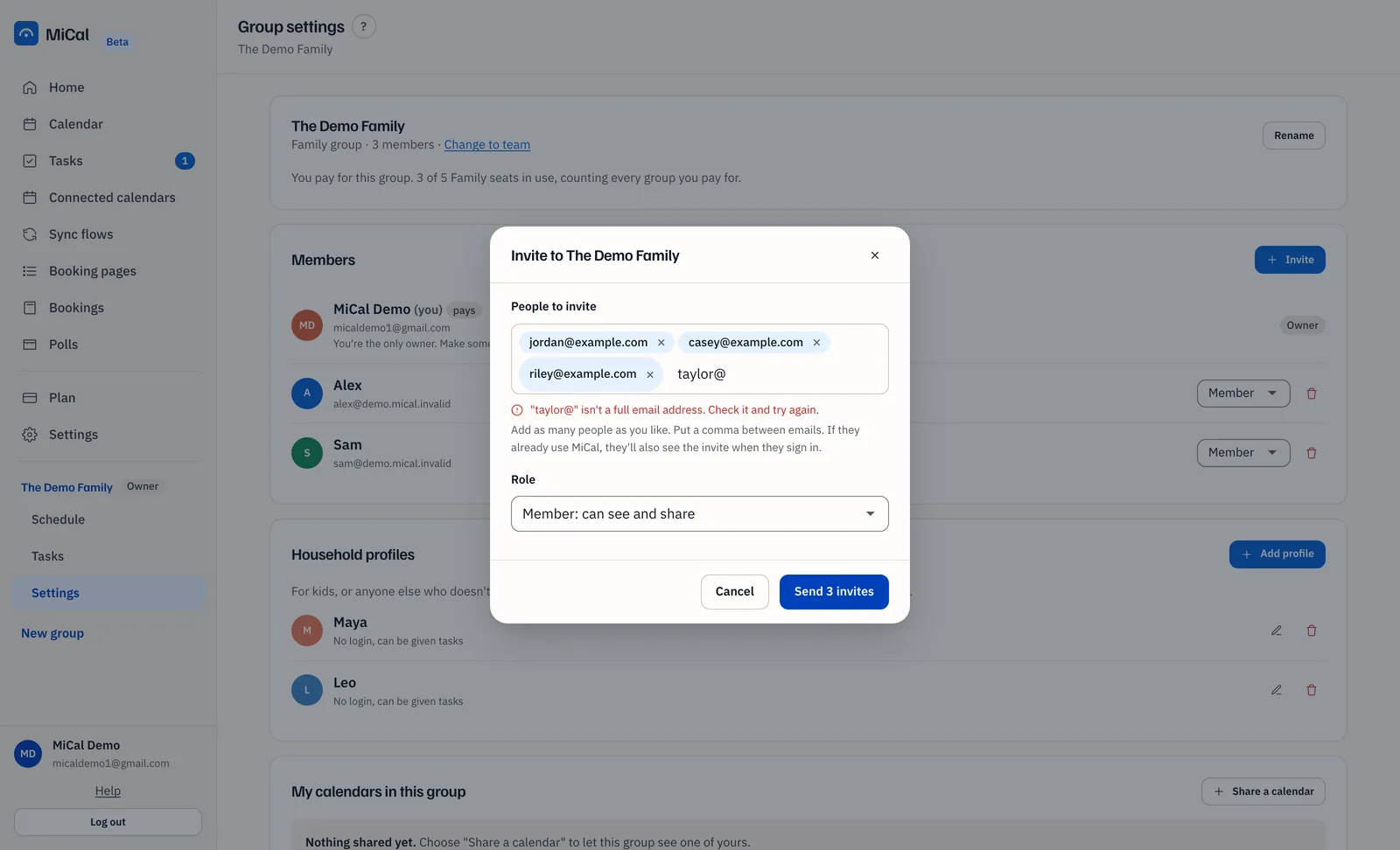
Select People to invite. Type an address and press Enter or a comma, or paste a list. Commas, spaces, and semicolons all work, and a column pasted from a spreadsheet works too. Each address becomes its own chip.
If an address is incomplete, it stays in the box with a message under it. Fix it or delete it. The rest of the list is kept.
Pick a Role for the batch: Member: can see and share or Admin: can also invite and remove. Everyone in one batch gets the same role. Invite again to give someone a different one.
Select Send invite. With more than one address, the button says Send 3 invites, with the number you added. One email goes to each person.
The dialog lists who was invited. Select Done, or Invite someone else.
Until they accept, people show as invited under Members. Invites expire after 30 days. You can send at most 50 invites a day.
On a phone
Tap Family in the bottom bar. The People list is on top, then Invited, then the invite form.
Type an address in Invite by email and tap Send invite. The phone form takes one address at a time. Tap More options to invite several people, and to choose a role.
To add a child, tap Add a kid by name, type the name, and tap Add. There is no login and no seat, and you can give them tasks. On a Team group, the button says Add a person without a login.
Sharing and group settings opens the full group page.
If the group is full
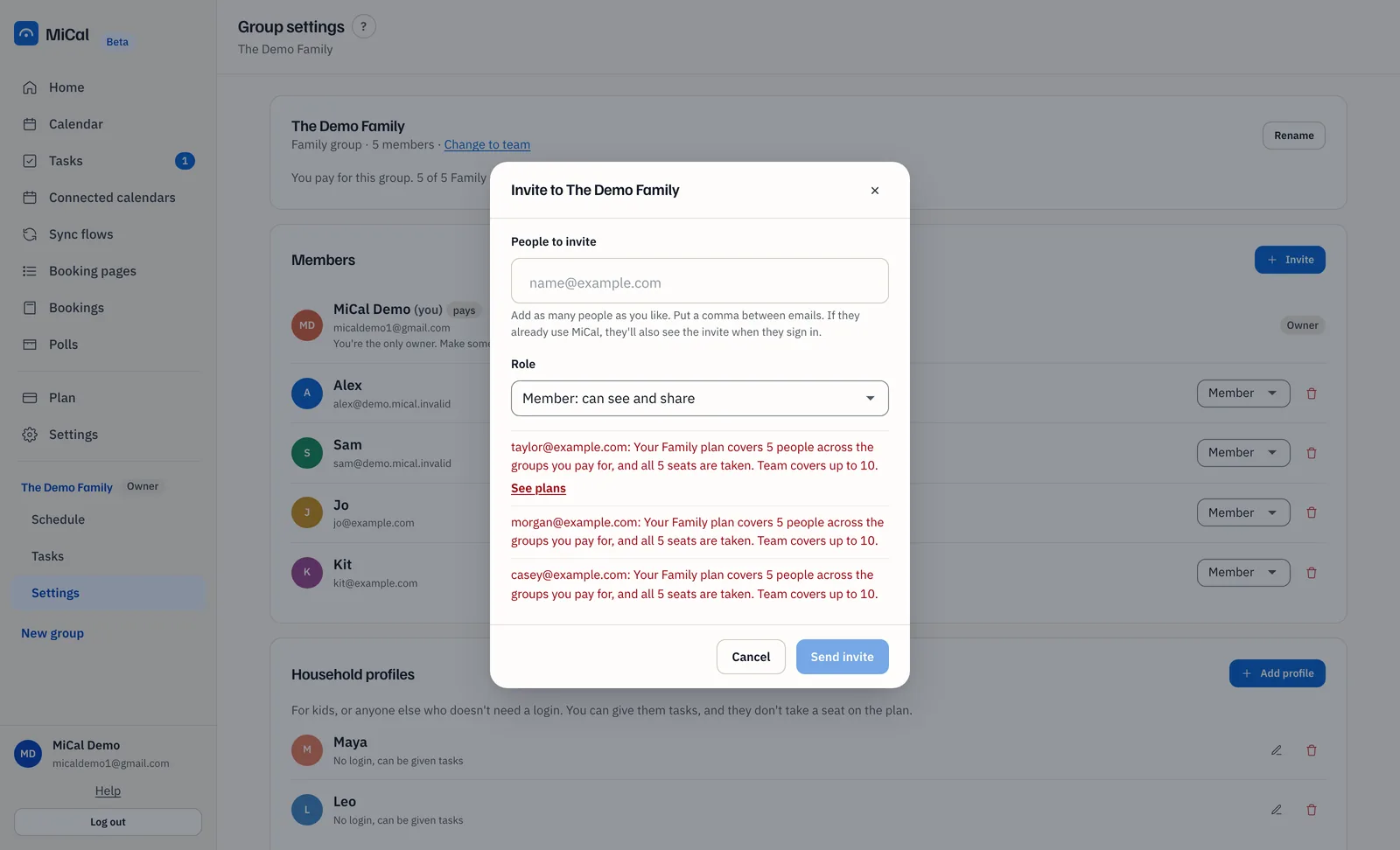
When every seat is taken, MiCal refuses the invite and says why. For example: "Your Family plan covers 5 people across the groups you pay for, and all 5 seats are taken. Team covers up to 10." Existing members keep their access. If you pay for the group, the message has a See plans link. Otherwise ask the person who pays. Removing a member frees a seat.
On the phone, the invite form turns into a note: "All 5 seats are in use. Remove someone to invite another person."
Notes
If MiCal can't email someone, the dialog shows a link to copy. Send it to them yourself.
If the payer has no Family or Team plan, the message says the payer needs one before anyone else can join.
The invited person must sign in with the invited address. See Resend or cancel an invite.
Still stuck? Email support@mical.net. Privacy · Terms