Review and cancel your bookings
The Bookings page lists everyone who has booked time with you. You can open a booking to read the guest's notes or cancel it.
Review your bookings
Select Bookings in the sidebar. On a phone, it is under More.
Read the lists. Each row shows When, What, Who (name and email), and Status.
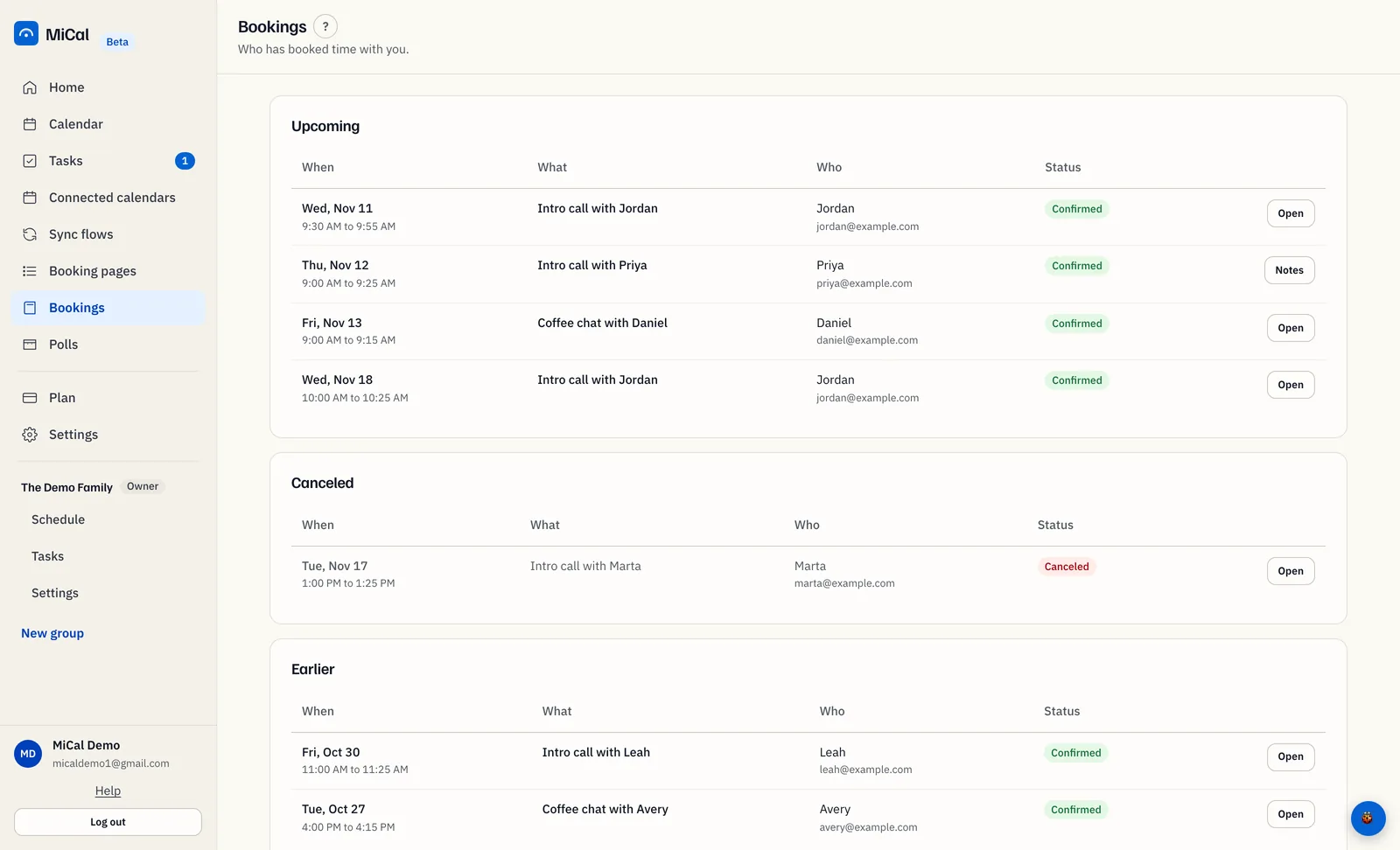
The page has up to three lists:
Upcoming: confirmed bookings that have not ended, soonest first.
Canceled: canceled bookings whose time has not passed yet, soonest first. This list appears only when there is one.
Earlier: bookings whose time has passed, newest first. Canceled bookings from the past are here too.
Confirmed means the booking is on your calendar. Canceled means it was called off. The number next to Bookings in the sidebar counts bookings made in the last 7 days.
Cancel a booking
You can cancel a booking that is confirmed and has not ended.
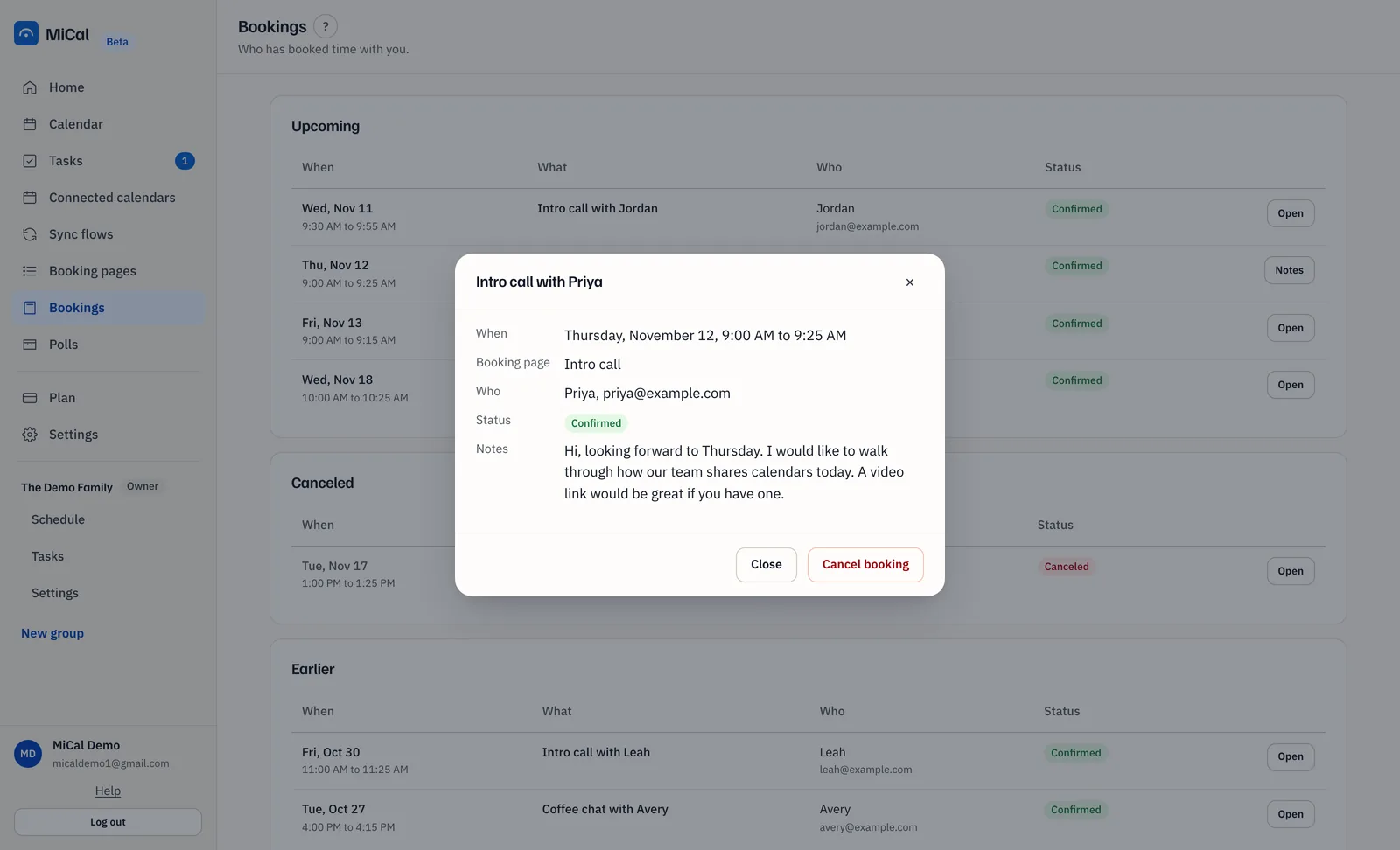
In Upcoming, select Open on the booking. The button says Notes when the guest left a note.
Check When, Who, and Notes, then select Cancel booking.
Read the question. It names the guest's email address. Select Yes, cancel it. Select Keep it to back out.
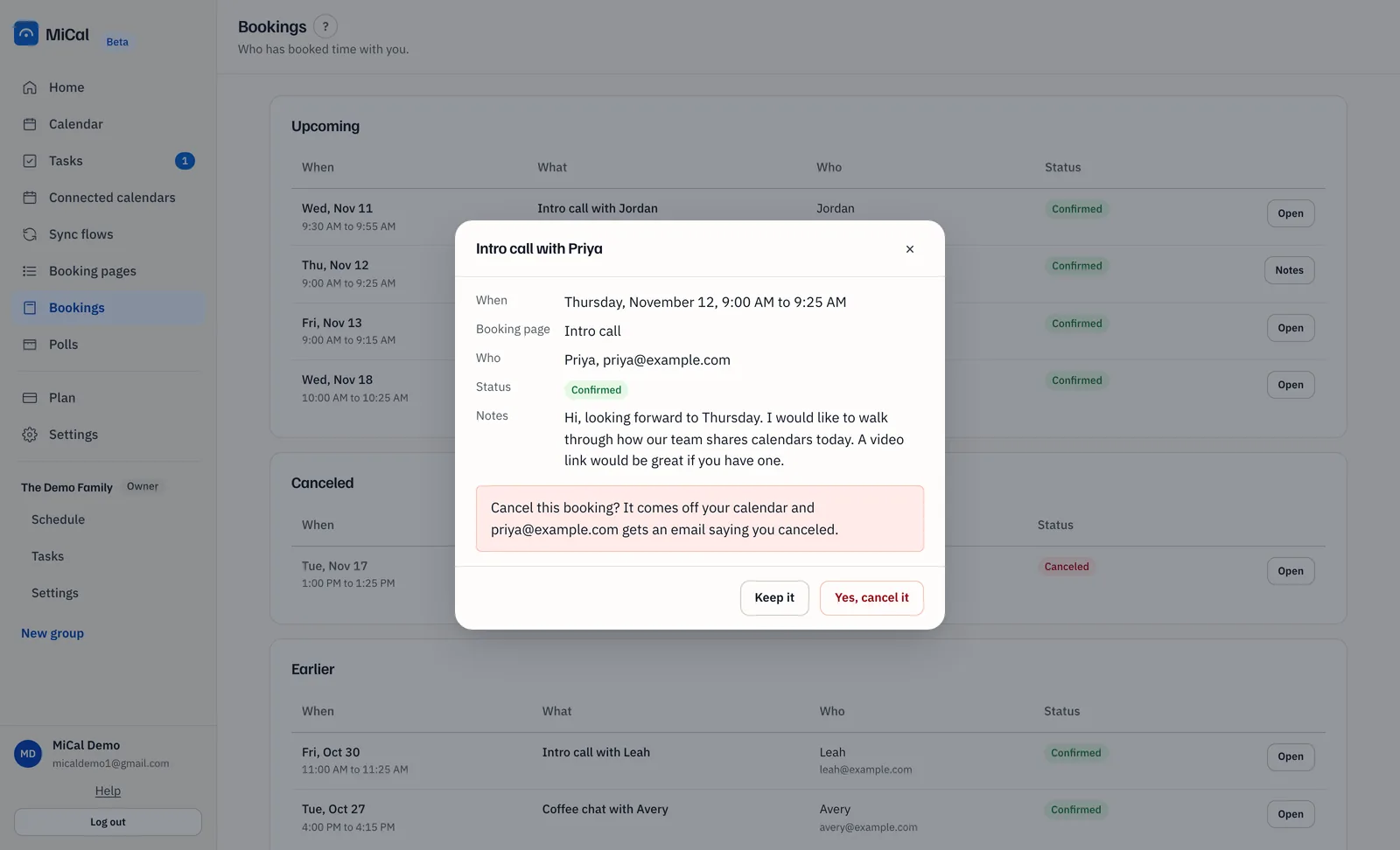
The event comes off your calendar and the time opens up again. The booking moves to Canceled, and to Earlier once its time has passed.
Notes
The guest gets an email saying you canceled, but only if they gave an email address.
Canceled and past bookings open read-only, with no Cancel booking button.
If the booking came from a single-use link and has not started, the link works again.
Guests can also cancel from the link in their confirmation email. See Cancel a booking you made.
Still stuck? Email support@mical.net. Privacy · Terms