Your 14-day trial
Every new workspace starts with 14 days of MiCal Individual, free, with no card. This page shows how to track the countdown, what day 15 brings, and how to resume paused sync flows.
Track your trial
Select Plan in the sidebar. The sidebar item shows Trial with the days left, for example Trial, 12 days left. The Your plan card gives the end date.
Check what you have. Connected calendars, Sync flows, Booking pages and Polls all read Unlimited. Groups reads 0 of 0, because Individual has no groups.
Compare plans. The Individual card says Keep Individual. Family and Team add groups. For prices and limits, see Upgrade your plan.
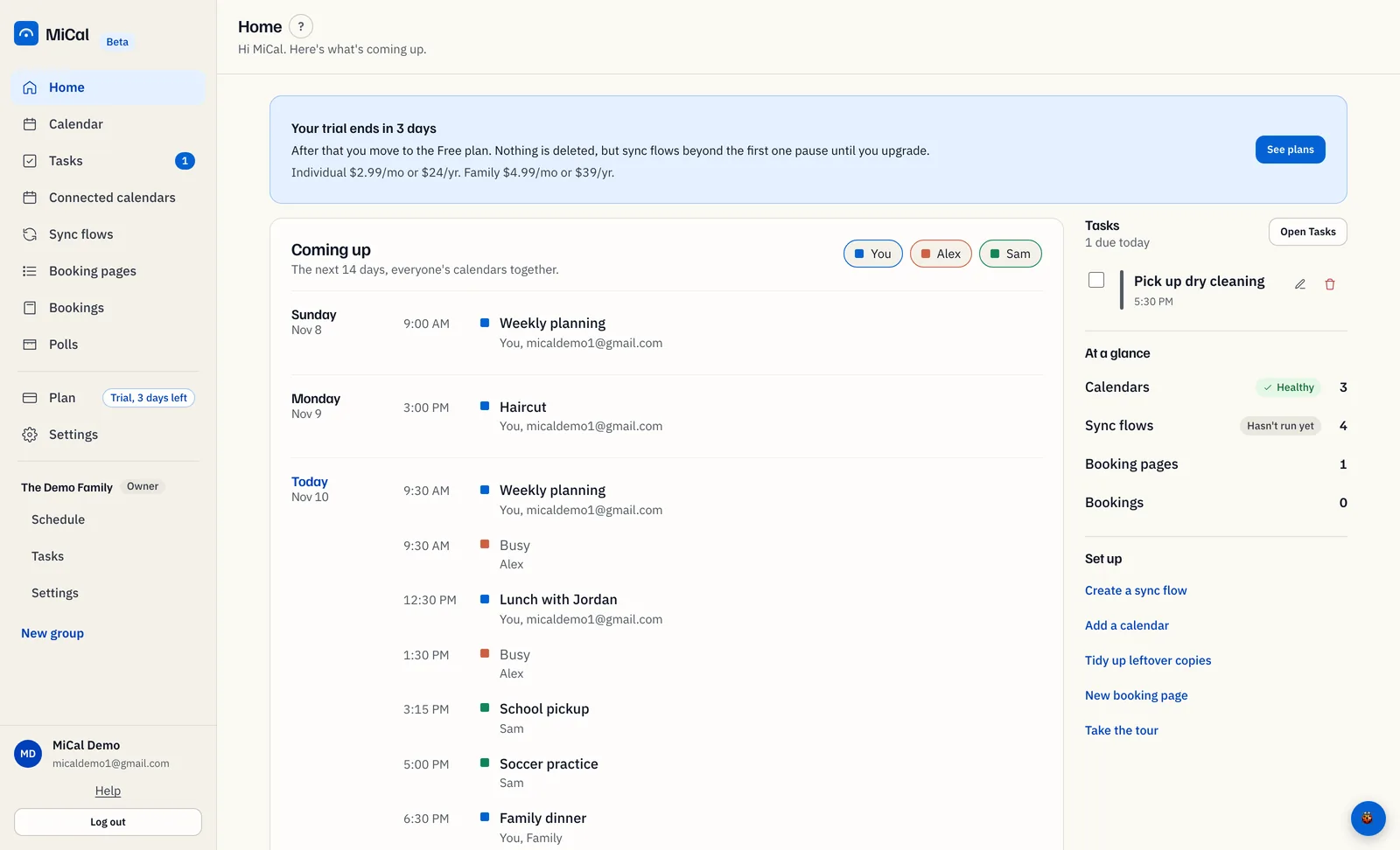
Watch the last three days. Home shows Your trial ends in 3 days. Select See plans to go to Plan.
What happens when the trial ends
Your workspace moves to Free, with no groups. Nothing is deleted. The Free limits are in Upgrade your plan.
Your oldest sync flow keeps running. Other sync flows pause.
Calendars, booking pages and polls stay. You cannot add more than Free allows.
No card is on file, so no charge is made.
MiCal emails you when 3 days are left, and again after the trial ends.
Resume paused sync flows
Select Sync flows in the sidebar. Each flow that is switched on, except the oldest, carries a Paused, upgrade to resume badge.
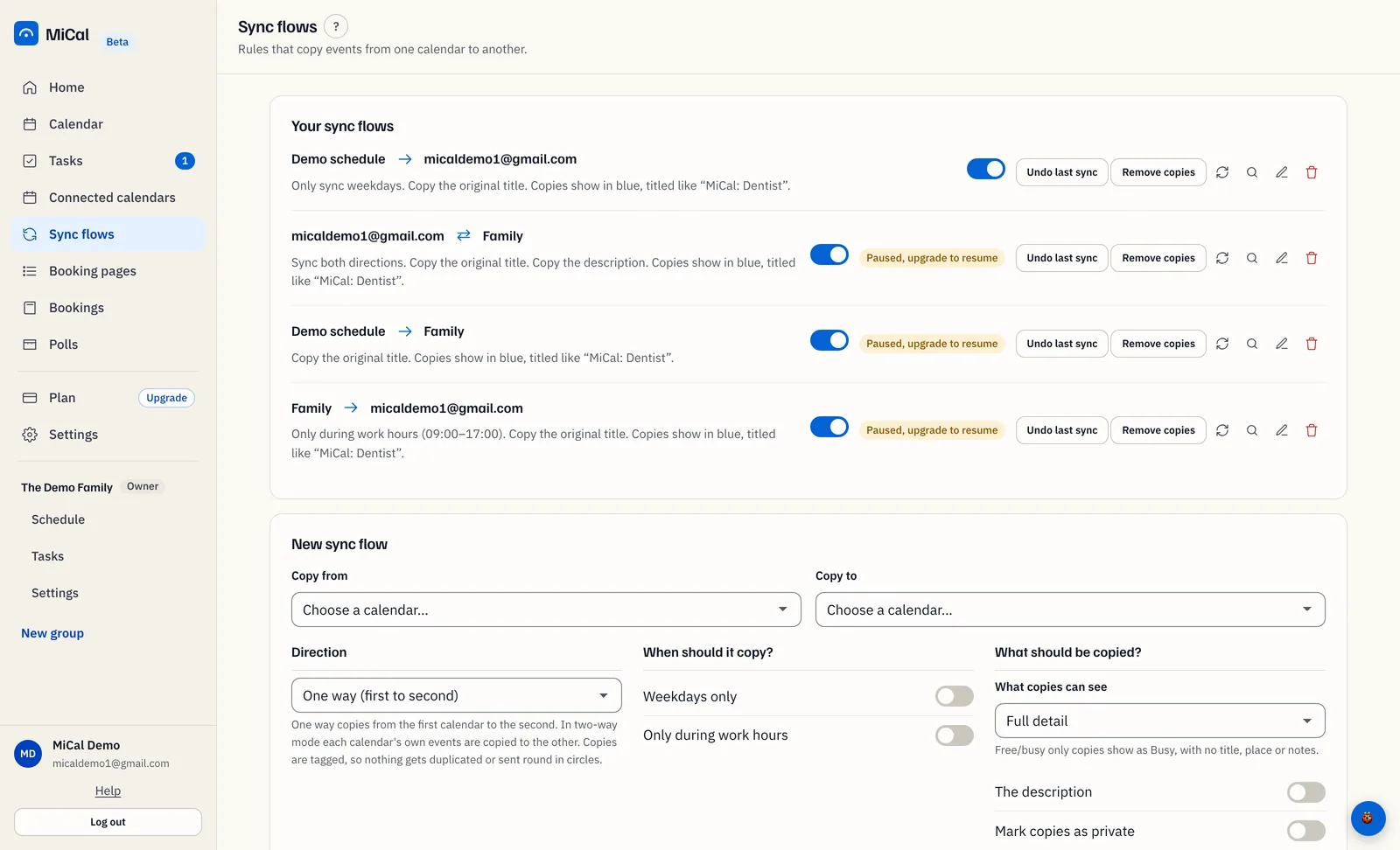
To resume them all, select Paused, upgrade to resume on any paused flow. The Plan page opens. Select Upgrade to Individual. Every paused flow resumes where it left off.
To resume them one at a time instead, switch off a running flow with its toggle. The oldest paused flow starts running. Repeat until the badges are gone.
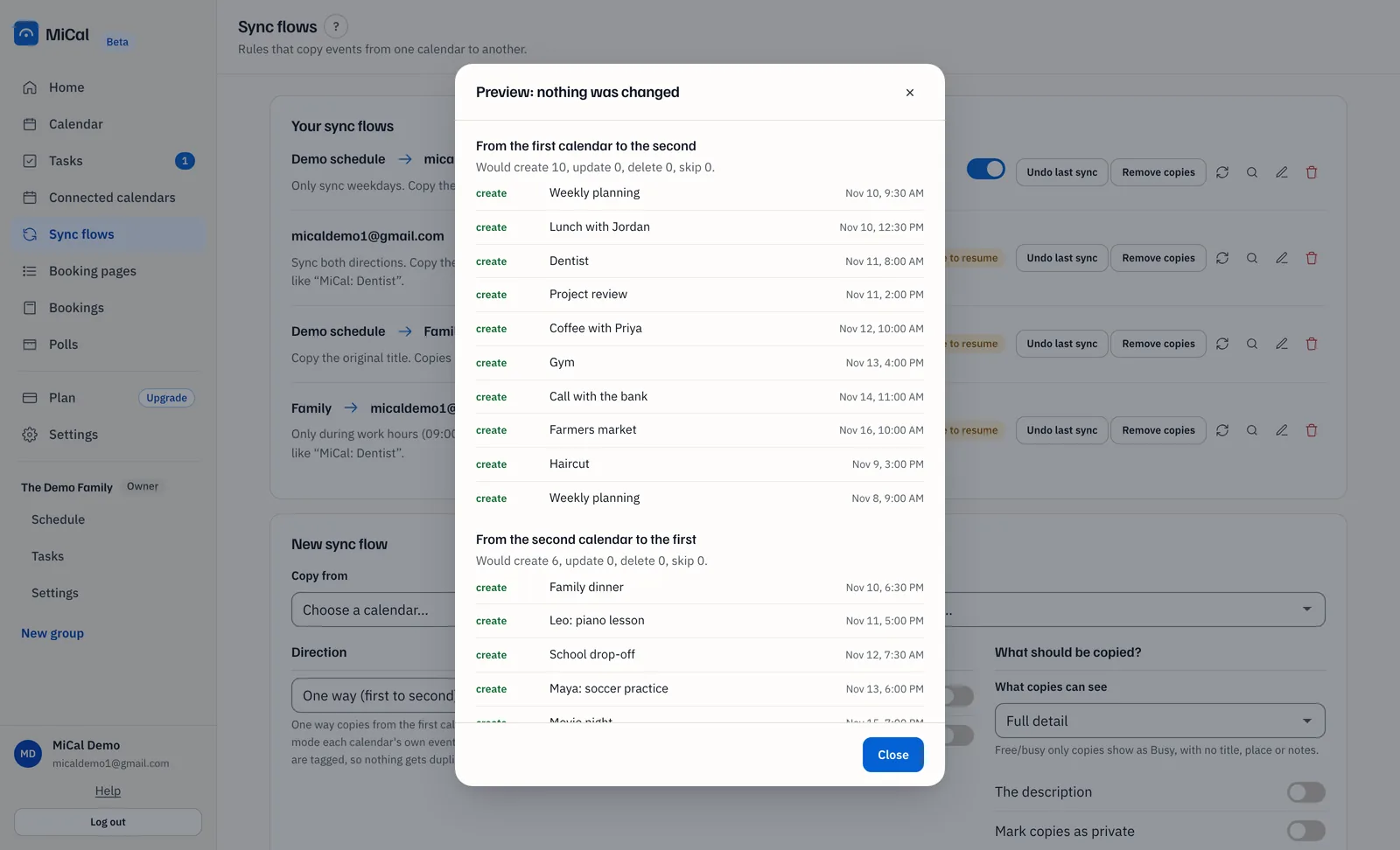
To see what a paused flow would do first, select the magnifier icon (Preview changes (writes nothing)) on it. The Preview: nothing was changed window lists what the next run would copy. Select Close when you are done.
Notes
Paused flows keep their rules and history. Free runs one sync flow at a time, and each flow you switch off frees a slot.
Sync now does not run a paused flow. It shows a message that the flow is paused.
Previews work on paused flows and write nothing.
Still stuck? Email support@mical.net. Privacy · Terms